Animation Merit Badge — Complete Digital Resource Guide
https://merit-badge.university/merit-badges/animation/guide/
Introduction & Overview
Have you ever watched a cartoon character sprint off a cliff, hang in midair for a moment, look down, and then plummet? That moment — that pause, that comedic timing — is the magic of animation. Animation is the art of making still images appear to move, and it shows up everywhere: movies, video games, apps, medical simulations, weather maps, and even the emoji reactions on your phone.
The Animation merit badge takes you behind the scenes. You will learn how animators turn drawings and digital models into living, breathing characters. Better yet, you will create your own animations and discover whether this blend of art and technology sparks something in you.
Then and Now
Then — Drawing Life One Frame at a Time
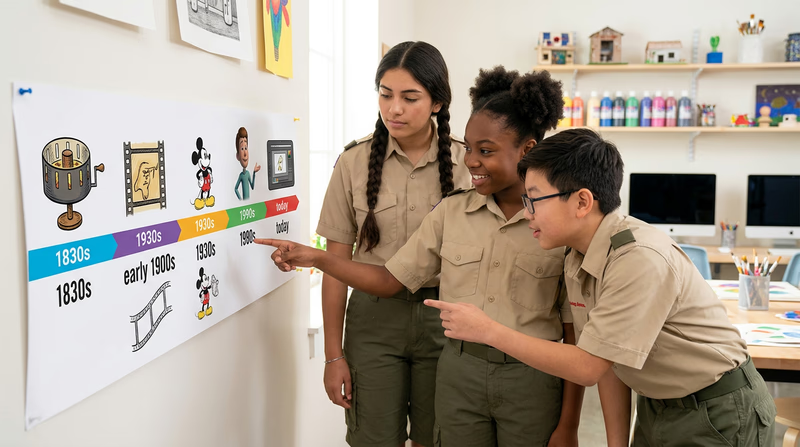
Animation stretches back further than most people realize. In the 1830s, inventors created spinning devices like the zoetrope and the phenakistoscope — simple toys that used slits and spinning discs to trick the eye into seeing motion. By the early 1900s, artists like Winsor McCay were hand-drawing thousands of individual pictures to create short films. His 1914 film Gertie the Dinosaur amazed audiences who had never seen a drawing come alive on screen.
The real revolution came in 1928, when Walt Disney introduced Steamboat Willie — one of the first cartoons with synchronized sound. Disney’s studio went on to pioneer full-length animated films, starting with Snow White and the Seven Dwarfs in 1937. For decades, every frame of animation was drawn and painted by hand on transparent sheets called cels, then photographed one frame at a time.
- Tools: Pencil, paper, ink, paint, transparent cels, cameras
- Speed: A single second of animation required 12 to 24 individual drawings
- Team size: Hundreds of artists for a feature film
Now — Pixels, Processors, and Possibilities
Today, animators still draw — but they also sculpt digital 3D models, program physics simulations, and capture real human movement with motion-capture suits. A single artist with a laptop and free software can create animations that would have taken a full studio just a generation ago.
- Tools: Tablets, 3D software, game engines, AI-assisted tools
- Speed: Software can generate “in-between” frames automatically (a process called tweening)
- Reach: Animation appears in films, games, social media, medical training, architecture, courtroom presentations, and space mission planning
Get Ready! Whether you love drawing, enjoy working with technology, or just want to understand how your favorite shows and games are made, this merit badge has something for you. By the end, you will have created real animations with your own hands — and you will never watch a cartoon the same way again.
Kinds of Animation
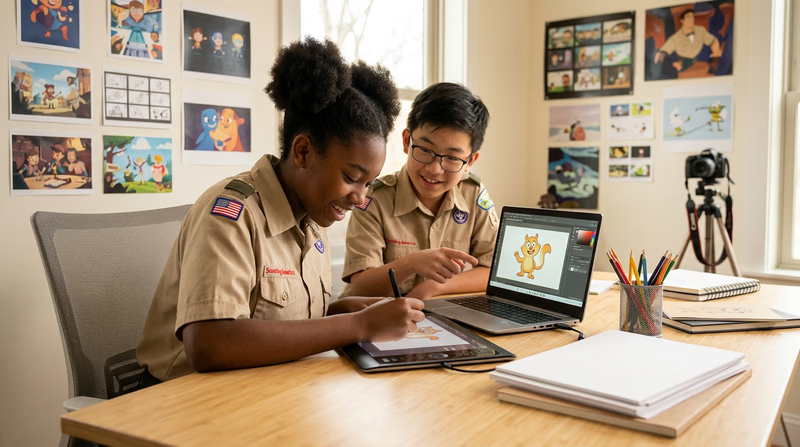
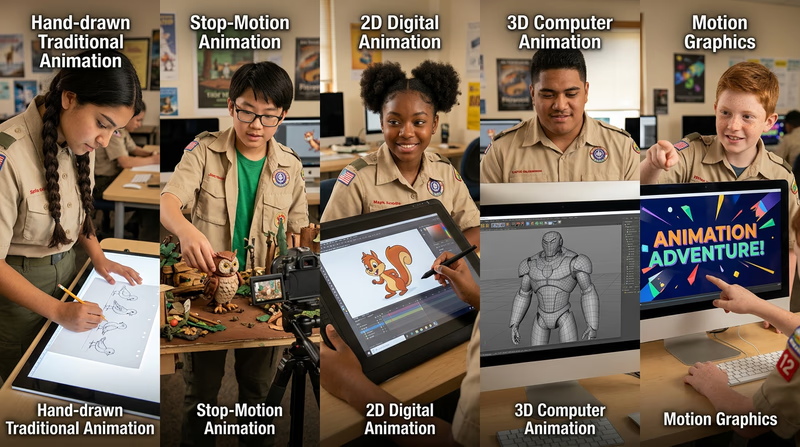
Animation is not one single technique — it is an entire family of art forms. Here are the major types you might explore.
Traditional (Hand-Drawn) Animation
This is the classic approach: an artist draws each frame by hand, one after another. When the frames are played back quickly (usually 12 or 24 per second), the drawings appear to move. Classic Disney films like The Little Mermaid and The Lion King were made this way.
Stop-Motion Animation
Stop-motion animators physically move real objects — clay figures, puppets, paper cutouts, or even everyday items — and photograph each tiny change. When the photos are played in sequence, the objects appear to move on their own. Films like Wallace & Gromit, Coraline, and Kubo and the Two Strings are stop-motion masterpieces.
2D Digital Animation
This is hand-drawn animation’s modern cousin. Artists draw on tablets using software that handles coloring, layering, and playback. The drawings are still flat (two-dimensional), but the process is faster because the computer handles tasks like inking and “in-betweening.”
3D Computer Animation (CGI)
3D animators build digital models, apply textures and lighting, and then move those models through a virtual 3D space. This is the technique behind Toy Story, Frozen, and most modern animated films. It is also how characters move in video games.
Motion Graphics
Motion graphics bring text, shapes, logos, and data to life. Think of a title sequence in a movie, an animated infographic on the news, or the countdown timer on a sports broadcast. Motion graphics focus on graphic design elements rather than characters.
Experimental and Mixed Media
Some animators break all the rules. They paint directly on film strips, animate sand on a light table, combine live action with drawn characters, or use AI to generate moving images. Experimental animation pushes the boundaries of what “animation” even means.
Now that you know the many forms animation can take, let’s dive into the requirements — starting with the big question: what exactly is animation?
Req 1a — What Is Animation?
The Core Idea
At its simplest, animation is the art of creating the illusion of movement from still images. Your brain does most of the work — when you see a series of slightly different pictures shown one after another fast enough, your brain fills in the gaps and perceives smooth, continuous motion.
This trick relies on a concept called persistence of vision. Your eyes briefly hold onto an image after it disappears. When the next image appears an instant later, your brain blends the two together. Show enough images per second, and a bouncing ball on paper becomes a bouncing ball in motion.
More Than Just Cartoons
When most people hear “animation,” they think of cartoons — and cartoons are a huge part of the field. But animation reaches far beyond entertainment:
- Medicine: Animated 3D models help surgeons plan complex operations and help patients understand their diagnoses.
- Architecture: Architects create animated walkthroughs of buildings that do not exist yet, letting clients “walk through” a design before construction begins.
- Science: NASA uses animation to simulate spacecraft trajectories, visualize weather systems, and model distant galaxies.
- Education: Animated diagrams in textbooks and online courses make tough subjects — like how a cell divides or how an engine works — easier to understand.
- Courtrooms: Lawyers use animated reconstructions to show juries how an accident or crime may have occurred.
Building Your Description
Your counselor wants to hear your own words, not a memorized definition. Here is a framework to help you organize your thoughts:
- Start with the basics. What is happening technically? (Still images shown rapidly to create the illusion of movement.)
- Explain why it works. What does your brain do with those images? (Persistence of vision fills in the gaps.)
- Give examples. Where do you see animation in daily life? (Movies, games, apps, weather maps, medical imaging.)
- Share what excites you. What aspect of animation interests you the most?
🎬 Video: What Is Animation? — Scouting Resource Video — https://youtu.be/frP_5YQ0GfY?si=W1Bd6rnb4ksWo5p7
Now that you can describe what animation is, let’s explore where it came from.
Req 1b — History of Animation
The Early Experiments (1800s)
Long before movies existed, inventors were fascinated by the idea of making pictures move. In the early 1800s, a wave of clever devices appeared across Europe:
- Thaumatrope (1825): A simple disc with a different image on each side. Spin it fast, and the two images merge into one. A bird on one side and a cage on the other? Suddenly the bird appears inside the cage.
- Phenakistoscope (1832): A spinning disc with sequential drawings around the edge. View it through slits in front of a mirror, and the drawings appear to move.
- Zoetrope (1834): A spinning drum with images on a strip inside. Peer through the slits, and you see a short animation loop — a horse galloping, a dancer spinning.
These devices proved that the human eye could be tricked into seeing motion from a series of still images. That discovery would change everything.
The Birth of Animated Film (1900s–1920s)
Once motion picture cameras were invented in the 1890s, it was only a matter of time before artists started drawing directly for the screen.
- J. Stuart Blackton created Humorous Phases of Funny Faces (1906), often considered the first animated film. He drew faces on a chalkboard and photographed each change.
- Émile Cohl made Fantasmagorie (1908) in France — a two-minute film of simple stick figures that morph and transform.
- Winsor McCay raised the bar dramatically with Gertie the Dinosaur (1914). McCay drew thousands of frames to create a character with personality — Gertie bowed, drank water, and seemed to interact with McCay himself on stage.
The Golden Age (1930s–1960s)
Walt Disney transformed animation from a novelty into a major art form:
- Steamboat Willie (1928): One of the first cartoons with synchronized sound. Mickey Mouse whistled and the audience was hooked.
- Snow White and the Seven Dwarfs (1937): The first full-length animated feature film. Critics predicted it would fail. It became the highest-grossing film of its time.
- The multiplane camera: Disney’s team invented a camera that shot through layers of painted glass, creating a sense of depth. Backgrounds could scroll at different speeds, making forests and castles feel three-dimensional.
Other studios emerged during this era too. Warner Bros. gave us Bugs Bunny and Daffy Duck. Hanna-Barbera created Tom and Jerry. In Japan, Osamu Tezuka — known as the “God of Manga” — pioneered the style that would become anime, producing Astro Boy in 1963.
The Computer Revolution (1970s–2000s)
Computers began entering animation studios in the 1970s, slowly at first:
- Tron (1982): One of the first films to use extensive computer-generated imagery (CGI), though it was considered a risk at the time.
- Toy Story (1995): Pixar’s first feature film — and the first entirely computer-animated feature in history. The movie proved that 3D CGI could carry an emotional story, not just flashy visuals.
- Shrek (2001): DreamWorks showed that CGI animation was not a one-studio trick. The floodgates opened.
By the 2000s, most major animated films were made with computers. Traditional hand-drawn animation became rare in Hollywood, though it continued to thrive in anime studios in Japan and independent animation worldwide.
Animation Today and Beyond (2010s–Present)
Animation technology continues to evolve rapidly:
- Real-time rendering: Game engines like Unreal Engine now produce animation that looks nearly photorealistic — and can render it instantly, not over hours.
- Motion capture: Actors wear special suits with sensors so their movements can be recorded and applied to digital characters. This technique powered films like Avatar and games like The Last of Us.
- AI-assisted tools: New software can generate in-between frames, suggest movement, or even create rough animations from text descriptions. The technology is still young but advancing fast.
- Accessibility: Free tools like Pencil2D, Krita, and Blender mean anyone with a computer can start animating today.
🎬 Video: A Brief History of Animation — https://youtu.be/5Y6eInX7H-s?si=elo9NM-TCqmqnQpb
🎬 Video: Discover Japan's First Anime: Hidden History! — https://youtu.be/mQlAHrQ2-h8?si=9YNDKARTlRJ5omrg
You have seen how animation evolved from spinning discs to supercomputers. Next, you will learn the rules that make animation feel real.
Req 2 — The 12 Principles
Where the Principles Came From
In 1981, two legendary Disney animators — Frank Thomas and Ollie Johnston — published a book called The Illusion of Life: Disney Animation. In it, they described 12 principles that Disney animators had developed over decades of trial and error. These principles are not just opinions — they are based on how objects actually move in the real world and how the human eye perceives motion.
Professional animators still study and apply these principles today, whether they are drawing by hand or working in 3D software. Understanding them will make your own animations dramatically better.
The 12 Principles
1. Squash and Stretch
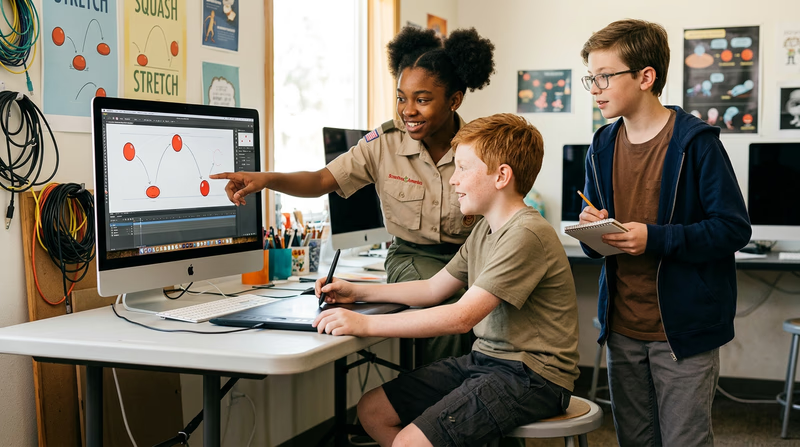
This is the most important principle. When an object moves, it changes shape slightly. A bouncing ball squashes flat when it hits the ground and stretches tall as it flies upward. This makes objects feel like they have weight and flexibility — not like rigid blocks.
Why it matters: Without squash and stretch, a bouncing ball looks like a rigid marble clicking against the ground. With it, the ball feels alive and springy.
2. Anticipation
Before a character does something, they prepare for it. A pitcher winds up before throwing. A character crouches before jumping. A person leans back before running forward. Anticipation tells the audience, “Something is about to happen — pay attention.”
Why it matters: Without anticipation, actions feel sudden and confusing. The audience does not have time to understand what is happening.
3. Staging
Staging is about presenting an idea so the audience immediately understands it. The character’s pose, position on screen, camera angle, and background all work together to direct attention to the most important action. Think of it like directing a play — every element guides the viewer’s eye.
Why it matters: Poor staging buries important actions in visual clutter. Good staging makes the story crystal clear even without dialogue.
4. Straight Ahead Action and Pose to Pose
These are two different ways to create animation:
- Straight ahead: Draw frame 1, then frame 2, then frame 3, and so on. This creates fluid, spontaneous movement but can be hard to control.
- Pose to pose: Draw the key poses first (the beginning, middle, and end of an action), then fill in the frames between them. This gives more control over timing and composition.
Most animators use a combination of both. Key poses provide structure; straight-ahead drawing adds energy.
Why it matters: Choosing the right approach (or mixing them) determines whether an animation feels controlled and polished or wild and energetic.
5. Follow Through and Overlapping Action
When a character stops moving, not everything stops at the same time. Hair keeps swinging. A cape continues to flow. Arms overshoot and swing back. Follow through is the continuation of movement after the main action stops. Overlapping action means different parts of a character move at different rates.
Why it matters: If everything stops at exactly the same frame, the character looks like a robot. Follow through and overlapping action make movement feel natural and organic.
6. Slow In and Slow Out
Objects in the real world do not start and stop instantly — they accelerate and decelerate. A car eases into motion and brakes gradually. A swinging pendulum slows at the top of its arc and speeds through the bottom. In animation, this means adding more frames at the beginning and end of an action (where movement is slower) and fewer frames in the middle (where it is fastest).
Why it matters: Without slow in and slow out, movements feel mechanical and robotic. With it, they feel smooth and natural.
7. Arcs
Almost all natural movement follows a curved path — an arc. When you throw a ball, it traces a parabola. When you turn your head, it follows a slight arc, not a straight line. Animating along arcs instead of straight lines makes movement look natural.
Why it matters: Straight-line movements look stiff and unnatural. Arcs give animation a flowing, lifelike quality.
8. Secondary Action
A secondary action supports the main action without taking attention away from it. If a character is walking (main action), they might also be whistling, swinging their arms, or adjusting their hat (secondary actions). These extra details add richness and personality.
Why it matters: Without secondary actions, characters feel flat and one-dimensional. Secondary actions reveal personality, emotion, and context.
9. Timing
Timing refers to the number of frames used for an action, which controls the speed of movement. Fewer frames mean faster action; more frames mean slower action. Timing is how animators create weight, mood, and emotion. A heavy elephant lands slowly (many frames). A small mouse darts quickly (few frames).
Why it matters: Timing is how the audience feels whether something is heavy or light, fast or slow, funny or serious. Get timing wrong, and the entire scene feels off.
10. Exaggeration
Animation does not have to match reality perfectly. In fact, it usually should not. Exaggeration means pushing movements, expressions, and poses beyond what is physically realistic to make them more exciting and readable. A surprised character’s eyes do not just widen — they bulge. A punch does not just connect — it sends the other character flying.
Why it matters: Perfectly realistic animation can actually look dull on screen. Exaggeration adds energy, humor, and clarity.
11. Solid Drawing
Solid drawing means giving characters a sense of three-dimensional volume and weight, even in 2D animation. An animator with solid drawing skills understands anatomy, perspective, and how forms look from different angles. In 3D animation, this translates to creating believable models and poses.
Why it matters: Characters drawn without solid drawing skills look flat, inconsistent, and “floaty.” Solid drawing grounds them in a believable space.
12. Appeal
Appeal does not mean every character has to be cute or pretty. It means every character should be interesting and engaging to watch. A villain can have appeal. A monster can have appeal. Appeal comes from clear design, readable shapes, strong personality, and a sense that this character is unique and alive.
Why it matters: If the audience does not find a character interesting to look at, they will not care about the story. Appeal is what makes you lean in instead of tune out.
Preparing for Your Discussion
Discussion Prep
Before meeting with your counselor- Pick your five principles: Choose the ones you find most interesting or can explain best.
- Find examples: For each principle, think of a specific moment in a movie, show, or game where you have seen it used.
- Try it yourself: Sketch a simple example of at least one principle — even a stick-figure bouncing ball with squash and stretch counts.
- Practice explaining: Say your explanations out loud. If you can explain a principle to a friend and they understand it, you are ready.
🎬 Video: The 12 Principles of Animation Explained — https://youtu.be/tYc1yUt0IeA?si=6KmGm0SXDmXXOzeO
🎬 Video: 12 Principles of Animation — https://youtu.be/uDqjIdI4bF4?si=Hw0CusAukKKkJ1oI
Now that you understand the principles behind great animation, it is time to put them into practice.
Req 3 — Create Your Animations
With your counselor’s approval, choose two animation techniques and do the following for each:
- Plan your animation using thumbnail sketches and/or layout drawings either on paper or using an animation software program.
- Create the animation.
- Share your animations with your counselor. Explain how you created each one, and discuss any improvements that could be made.
Choosing Your Two Techniques
This requirement asks you to create two separate animations, each using a different technique. The idea is to experience more than one way to animate. Here are some techniques to consider:
Flipbook Animation
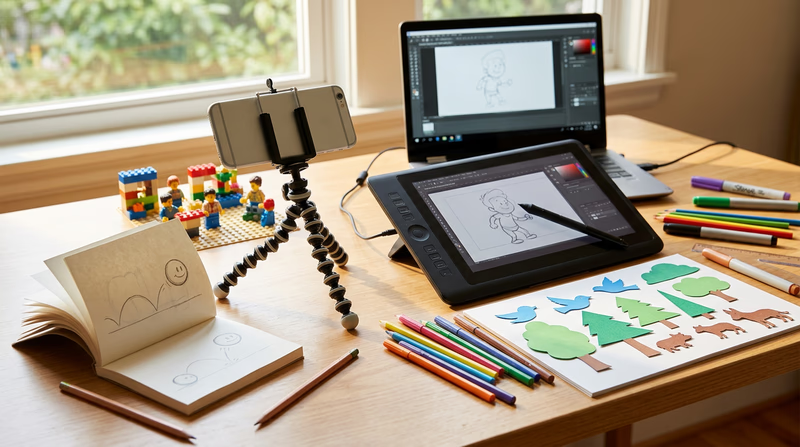
A flipbook is the simplest form of animation — and one of the most satisfying. Draw a slightly different picture on each page of a small pad of paper, then flip through the pages rapidly. The drawings come alive in your hands.
- What you need: A pad of sticky notes or a small sketchbook, a pencil
- Best for: Simple, short animations — a bouncing ball, a waving hand, a character walking
- Time to create: 1–3 hours for a basic flipbook
Stop-Motion Animation
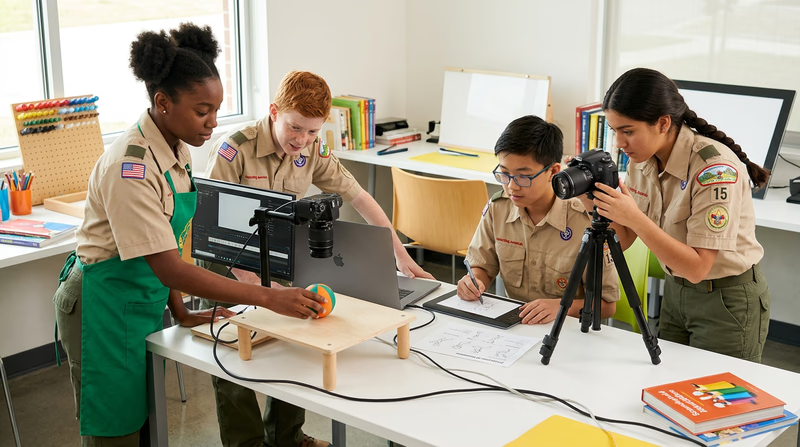
Set up a camera (your phone works perfectly), arrange objects in a scene, take a photo, move the objects slightly, and take another photo. String the photos together into a video. Clay, LEGO bricks, action figures, paper cutouts, and even food all work as subjects.
- What you need: A phone or camera, a tripod or stable surface, objects to animate, video editing app
- Best for: 3D scenes, character stories, creative experimentation
- Time to create: 2–5 hours for a short clip
2D Digital Animation
Use free software to draw frames on a computer or tablet. Programs like Pencil2D, Krita, or the online tool FlipAnim let you draw each frame, add color, and play back your animation instantly.
- What you need: A computer or tablet, free animation software
- Best for: Colorful character animations, experimenting with the 12 principles
- Time to create: 2–4 hours for a short animation
Whiteboard Animation
Draw on a whiteboard or chalkboard, photograph each stage, and erase/add elements between shots. This technique is popular for explainer videos and educational content.
- What you need: A whiteboard or chalkboard, markers or chalk, a phone camera, a stable shooting position
- Best for: Explaining a concept, telling a simple story
- Time to create: 1–3 hours
Paper Cutout Animation
Cut out shapes from paper — characters, backgrounds, props — and move them around on a flat surface while photographing each position. This is a form of stop-motion, but it is flat (2D) and often faster to produce.
- What you need: Paper, scissors, a flat surface, a phone camera mounted above
- Best for: Simple stories, colorful scenes, younger Scouts who prefer crafts to drawing
- Time to create: 2–4 hours
Step 1: Plan Your Animation
Before you draw or shoot a single frame, plan. Professional animators spend a large portion of their time on planning because it prevents costly mistakes later.
Thumbnail Sketches
Thumbnail sketches are small, rough drawings that map out the key moments of your animation. They do not need to be pretty — they are a thinking tool.
Thumbnail Planning
For each of your two animations- Decide on a subject: What will your animation show? (A ball bouncing, a character waving, a flower growing, a logo appearing)
- Sketch the key poses: Draw the starting position, the major actions, and the ending position.
- Number your thumbnails: Put them in order so you have a clear sequence.
- Add notes: Write timing ideas (“hold this pose for 5 frames”) or action notes (“arms swing up here”).
- Show your plan to your counselor: Get approval before you start creating.
Layout Drawings
If your animation has a background or a scene with multiple elements, a layout drawing shows where everything goes. Think of it as a map of your animated world — where the character stands, where the camera focuses, and what the background looks like.
Step 2: Create Your Animation
With your plan approved, it is time to bring your drawings to life. Here are some universal tips that apply to any technique:
- Work clean: Keep your camera steady (use a tripod or prop), maintain consistent lighting, and make small, deliberate movements between frames.
- Be consistent: Each frame should change only slightly from the one before it. Big jumps between frames create jerky, confusing movement.
- Apply the principles: Try to use at least one or two of the 12 principles you learned about. Even just adding squash and stretch to a bouncing ball makes a big difference.
- Save often: If you are working digitally, save your project frequently. Losing hours of work to a crash is painful.
Step 3: Share and Discuss
When you present your animations to your counselor, be ready to explain:
- What technique you used and why you chose it
- How you planned it — show your thumbnail sketches or layout drawings
- What principles you applied — point out specific moments where you used squash and stretch, anticipation, timing, or other principles
- What you would improve — every animator sees things they would change. Being able to identify improvements shows growth
Free Tools to Get Started
🎬 Video: Pencil2D — Free 2D Animation Software — https://youtu.be/QPqap-onmv8?si=R7BiYvl5Ku2fcf6I
🎬 Video: How to Make a Flipbook — https://youtu.be/Un-BdBSOGKY?si=VYoP1vpGjMei_OY-
With two animations under your belt, you have experienced the creative process firsthand. Next, you will look at how professionals do it every day.
Req 4a — Studio Tour
What to Look For
Whether you visit a studio in person, watch a virtual tour video, or explore a studio’s website, you want to come away understanding how animation actually gets made in a professional setting. Here are the key things to pay attention to:
The Animation Pipeline
Every studio follows a pipeline — a sequence of steps that takes a project from idea to finished product. While the details vary, most pipelines include these stages:
- Story and Script: Writers and directors develop the story, dialogue, and overall vision.
- Storyboarding: Artists draw rough sequences (like a comic book version of the film) to plan every shot.
- Design: Character designers, background artists, and color stylists create the visual look.
- Layout: Artists plan camera angles, character positions, and scene composition.
- Animation: Animators create the movement — this is where the 12 principles come to life.
- Effects: Specialists add rain, fire, magic, explosions, and other visual effects.
- Lighting and Rendering: (For 3D) Digital lighting artists set up lights in the virtual scene, and powerful computers render the final images.
- Compositing: All the layers — characters, backgrounds, effects, lighting — are combined into the final frames.
- Sound and Music: Voice actors, musicians, and sound designers add the audio that brings the visuals to life.
The People
Animation is deeply collaborative. During your tour, notice how many different roles exist:
- Director — guides the creative vision
- Storyboard artist — plans the visual storytelling
- Character animator — brings characters to life
- Rigger — builds the digital “skeleton” that allows 3D models to move
- Technical director — solves engineering problems (how to simulate fur, water, cloth)
- Compositor — assembles all the visual layers
- Producer — keeps the project on schedule and on budget
The Workspace
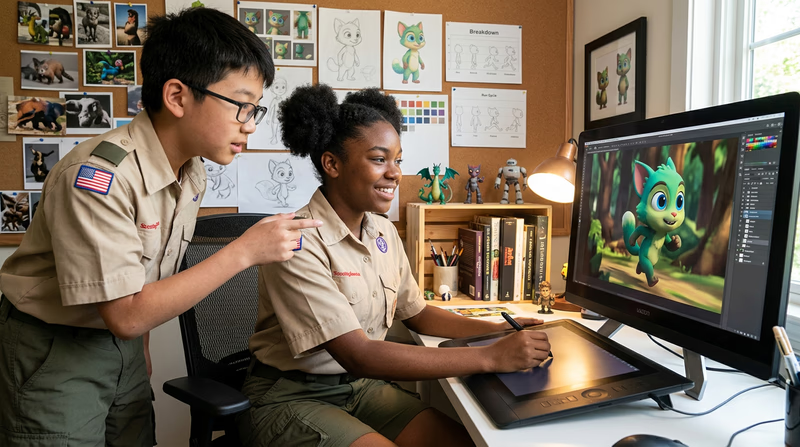
Pay attention to the physical (or virtual) workspace. You might notice:
- Reference materials everywhere — photos, toys, drawings pinned to walls
- Dual monitors showing animation software
- Drawing tablets for digital sketching
- Review rooms where teams watch work-in-progress together
Virtual Tour Options
If you cannot visit a studio in person, these video tours will give you an inside look:
🎬 Video: What It's Like Working at Disney Animation & Studio Tour — https://youtu.be/1KUAO2hfdBE?si=x4yxTOYqlnh4KVS_
🎬 Video: CGI DreamWorks Animation Studio Pipeline — https://youtu.be/ru0tQRJ4qKs?si=_s5HH3nCS7hflRoB
🎬 Video: What It's Like to Work at Pixar Animation Studios — https://youtu.be/C3IdS20YzHg?si=EBYH71frOfara-ns
🎬 Video: Inside Out 2 — Exclusive Pixar Studio Tour — https://youtu.be/3NaZsIdXtC4?si=B3HEHhLVRuIMgMrs
Beyond Film Studios
Animation is not just used in movies and TV. Many businesses use animation every day:
- Advertising agencies create animated commercials, social media ads, and product demos.
- Video game studios animate characters, environments, and user interfaces.
- Medical companies produce animated training materials and 3D models of the human body.
- Architecture firms create animated walkthroughs of buildings before they are constructed.
- News organizations use animated graphics to explain weather, data, and breaking stories.
If there is a business near you that uses animation in any of these ways, that counts for this requirement too.
Studio Tour Discussion Prep
Be ready to share with your counselor- What type of animation does the studio create? (Film, TV, games, ads, medical, etc.)
- What steps are in their pipeline? Name at least three.
- What surprised you the most about how animation is made?
- What roles or jobs did you learn about?
- How does their work compare to the animations you created for Requirement 3?
You have seen how animation works in the real world today. Now let’s think about where it is headed.
Req 4b — The Future of Animation
Animation Is Already Everywhere
Before you think about the future, consider how animation already touches your daily life. You interact with animation when you:
- Scroll through social media (animated stickers, GIFs, video effects)
- Use GPS navigation (animated turn-by-turn directions)
- Play video games (every character, effect, and menu animation)
- Watch weather forecasts (animated radar, storm path projections)
- Use apps on your phone (loading spinners, transition effects, animated notifications)
Animation is not just entertainment — it is a tool for communication, education, and problem-solving. And that tool is getting more powerful every year.
Where Animation Is Heading
Healthcare and Medicine
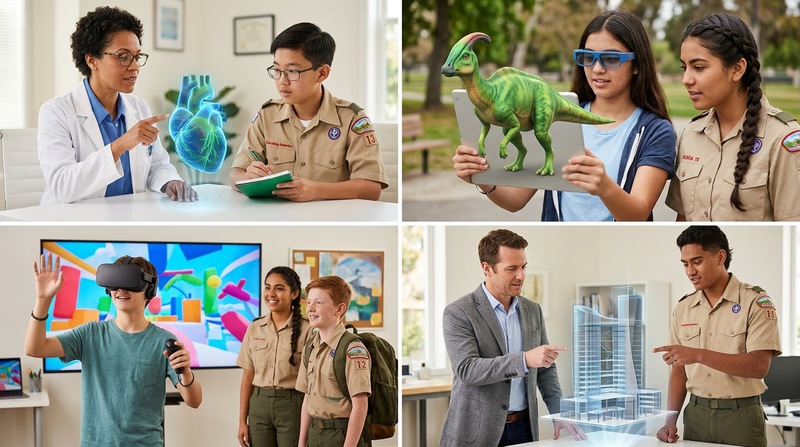
Animated 3D models already help doctors plan surgeries, but the future goes further. Imagine:
- Personalized medical animations created from your own MRI or CT scan data, showing your body in motion so doctors can spot problems before they become serious.
- Animated physical therapy guides that show you exactly how to perform exercises, adjusting in real time to your range of motion using your phone’s camera.
- Surgical training simulators so realistic that medical students can practice complex procedures in virtual reality before ever entering an operating room.
Education
Animation has the power to make difficult subjects click. Future classrooms might use:
- Interactive animated textbooks where you can manipulate a 3D model of a molecule, watch a historical battle unfold on a map, or see how a bridge handles stress.
- AI-generated animated tutors that explain concepts in different ways until you understand, adapting to your learning style in real time.
- Virtual field trips with fully animated historical environments — walk through ancient Rome, explore the ocean floor, or visit the surface of Mars.
Gaming and Entertainment
Video games and animated films will continue pushing boundaries:
- Real-time ray tracing makes lighting, reflections, and shadows in games look nearly photorealistic — and the technology improves every year.
- AI-driven characters could react to your words and actions in unpredictable, human-like ways, making games feel less scripted.
- Volumetric capture records real people as 3D animated models, blending live action and animation in ways we have never seen.
Communication and Social Media
Animation is becoming the language of online communication:
- Animated avatars that mirror your facial expressions in real time during video calls.
- Augmented reality (AR) filters that place animated characters and effects into your real-world surroundings through your phone’s camera.
- Personalized animated content that creates short videos or stories tailored to your interests, assembled by AI in seconds.
Architecture and Engineering
Animated simulations will play an even larger role in building the physical world:
- Digital twins — fully animated, real-time simulations of buildings, bridges, and cities that engineers can stress-test before construction begins.
- Construction previews that let residents see exactly how a new development will look in their neighborhood, complete with animated traffic flow, sunlight patterns, and landscaping through the seasons.
Space Exploration
NASA and other space agencies rely heavily on animation:
- Mission simulations that animate a spacecraft’s entire journey — launch, orbit, landing — so engineers can test every scenario before the real flight.
- Data visualization that turns raw telescope data into animated maps of distant galaxies, asteroid paths, and planetary surfaces.
Preparing for Your Discussion
A Deep Dive Into the Present and Future of Animation An in-depth article exploring current animation trends and where the industry is heading. Link: A Deep Dive Into the Present and Future of Animation — https://motioncue.com/present-and-future-of-animation/You have explored where animation is going. Now let’s look at how you could make animation your career.
Req 5 — Careers in Animation
Career Paths in Animation
Animation is a massive industry with roles for artists, technicians, storytellers, and everything in between. Below are several career paths to explore. You need to learn about three and go deep on one.
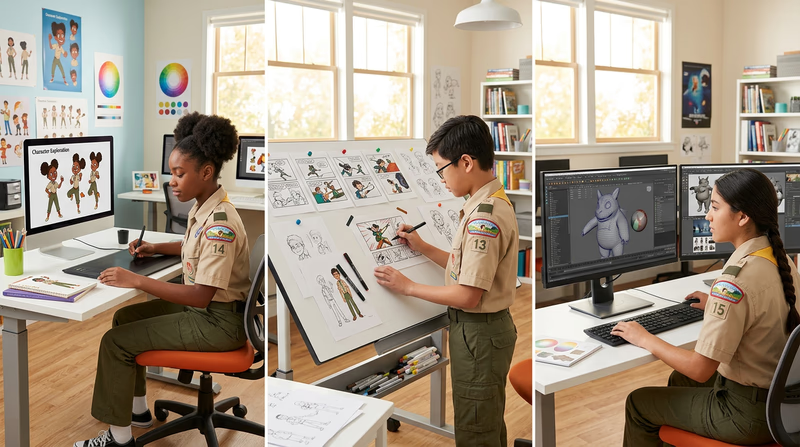
Character Animator
Character animators are the people who make characters move, emote, and feel alive. They are the actors of the animation world — they decide how a character walks, reacts, and expresses emotion through movement.
- Day-to-day: Receive a scene from the director, study the storyboard and voice recording, then create the character’s performance frame by frame.
- Skills needed: Strong understanding of the 12 principles, acting ability, observation of human and animal movement, drawing or 3D software skills.
- Education: A bachelor’s degree in animation, fine arts, or a related field is common. Many animators also attend specialized animation schools like CalArts, Ringling College, or Sheridan College. A strong portfolio matters more than the degree itself.
- Salary range: $50,000–$100,000+ depending on experience and studio.
Storyboard Artist
Storyboard artists translate scripts into visual sequences — they draw the “comic book version” of a film before any animation begins. Their work determines the camera angles, pacing, and visual storytelling of every scene.
- Day-to-day: Read the script, sketch rough sequences (boards), pitch them to the director in review sessions, and revise based on feedback.
- Skills needed: Strong drawing skills, storytelling instincts, understanding of cinematography and composition, ability to work fast.
- Education: A degree in animation, illustration, or film. Some storyboard artists come from comic book or graphic novel backgrounds. A portfolio of sequential art is essential.
- Salary range: $55,000–$95,000+.
3D Modeler
3D modelers build the digital objects, characters, and environments that populate animated films and video games. They sculpt virtual forms using specialized software, creating everything from a hero’s face to an entire alien cityscape.
- Day-to-day: Receive concept art from designers, build the 3D model in software like Maya, ZBrush, or Blender, refine surface details, and hand off to riggers and texture artists.
- Skills needed: Strong understanding of form, anatomy, and proportion. Proficiency in 3D modeling software. Attention to detail.
- Education: A degree in 3D animation, computer graphics, or game design. Self-taught modelers with strong portfolios can also enter the field. Online courses and tutorials are widely available.
- Salary range: $50,000–$90,000+.
Motion Graphics Designer
Motion graphics designers animate text, logos, shapes, and data for commercials, title sequences, apps, and social media. If you have ever watched a slick opening title for a TV show or an animated infographic on the news, a motion graphics designer made it.
- Day-to-day: Design and animate graphics using software like After Effects, Cinema 4D, or Figma. Work with clients to communicate messages visually.
- Skills needed: Graphic design fundamentals, typography, color theory, animation principles, software proficiency.
- Education: A degree in graphic design, visual communication, or animation. This field is especially open to self-taught professionals with strong demo reels.
- Salary range: $45,000–$85,000+.
Technical Director (TD)
Technical directors solve the hard engineering problems in animation. How do you make digital hair blow in the wind? How do you simulate an ocean wave? How do you make cloth drape realistically on a moving character? TDs write code and build tools that make all of that possible.
- Day-to-day: Write scripts and tools for animators, troubleshoot rendering problems, develop custom effects (water, fire, fur, cloth), and optimize pipelines.
- Skills needed: Programming (Python, C++, MEL), understanding of physics and mathematics, problem-solving mindset, familiarity with animation software.
- Education: A degree in computer science, computer graphics, or technical animation. Strong programming skills are essential.
- Salary range: $70,000–$120,000+.
Game Animator
Game animators create the movement for characters and objects in video games. Unlike film animation, game animation must be interactive — characters react in real time to player input, so animations need to blend seamlessly and loop smoothly.
- Day-to-day: Create walk cycles, attack animations, idle poses, and transition animations. Work closely with game designers and programmers to ensure animations feel responsive.
- Skills needed: Understanding of game engines (Unity, Unreal Engine), animation principles, rigging basics, ability to create animations that work in a real-time interactive environment.
- Education: A degree in game design, animation, or computer science. Many game animators build skills through game jams (short game-building competitions) and personal projects.
- Salary range: $50,000–$95,000+.
How to Research Your Chosen Career
Career Research Checklist
For the career you choose to go deep on- What is the typical education path? (Degree type, schools known for this specialty)
- What software or tools does this role use?
- What does a typical day look like?
- What is the job outlook? Is demand growing?
- What entry-level positions lead into this career?
- What does a strong portfolio for this role include?
- Why does this career interest you personally?
🎬 Video: Animation as a Career Choice — https://youtu.be/t8zUTh1wYM4?si=-IUsEDT5mck_ttAd
You have explored careers in animation and researched one in depth. Now let’s go beyond the badge and discover ways to keep growing as an animator.
Extended Learning
A. Congratulations, Animator!
You have explored the history of animation, studied the principles that make it work, created your own animations, toured a studio, and researched careers in the field. That is a lot of ground to cover — and you have built real skills along the way. The world of animation is vast and constantly evolving, and what you have learned here is just the beginning. Below are some ways to keep growing.
B. Level Up Your Animation Skills
Learn a Professional Tool
The free tools you used for your merit badge projects are great for getting started, but professional animators work with more powerful software. The good news? Many of these tools have free versions or are completely open-source.
Blender is a free, open-source 3D animation suite used by professionals and hobbyists worldwide. It handles modeling, rigging, animation, simulation, rendering, and compositing — all in one program. Major studios and indie creators alike use Blender, and its community produces an enormous library of free tutorials. Start with Blender’s official “Donut Tutorial” — a guided project where you model, texture, and render a photorealistic donut. It sounds simple, but it teaches the fundamentals of 3D workflow that apply to every project you will ever tackle.
Krita is a free painting and 2D animation program. If you prefer drawing to 3D modeling, Krita gives you professional-grade brushes, frame-by-frame animation tools, and onion skinning (the ability to see previous frames as faint overlays while you draw the next one). It runs on Windows, Mac, Linux, and even Chromebooks.
Pencil2D is the tool many Scouts use for their merit badge projects, but it has depth beyond basic flipbooks. Explore its layer system, camera tools, and export options to create more polished animations.
Study Animation Through Film
Watching animated films critically — not just for fun — is one of the best ways to train your eye. Pick a scene from any animated film and watch it frame by frame (most video players let you advance one frame at a time with the period key). Notice how the animators use squash and stretch, anticipation, and follow-through. Pay attention to how a character’s expression changes between key poses. Watch the same scene multiple times: once for the overall motion, once for the face, once for the hands, and once for the secondary actions in the background. This kind of deliberate observation is how professional animators study their craft. Films by Studio Ghibli (Spirited Away, My Neighbor Totoro), Pixar (Ratatouille, Coco), and Spider-Man: Into the Spider-Verse are especially rich examples to study.
Join an Animation Community
Learning animation alone is possible, but learning with others is faster and more fun. Online communities give you a place to share work, get feedback, and find inspiration. Newgrounds has been an animation community since the early internet and still hosts original animated work from creators around the world. DeviantArt has active animation groups where artists share work-in-progress frames and finished pieces. Reddit communities like r/animation and r/learnanimation are welcoming to beginners and full of tutorials, critiques, and encouragement. Many animators also share their process on YouTube, breaking down how they create specific effects or scenes. Following a few animation channels and trying to recreate their techniques is an excellent way to build skills steadily over time.
C. Build a Portfolio
If animation interests you as a potential career — or even just as a serious hobby — start building a demo reel now. A demo reel is a short video (usually 30 seconds to 2 minutes) showcasing your best animation work. It is the single most important thing any animator needs when applying for jobs, schools, or internships.
Here is how to start building one today. First, keep every animation you create, even the rough ones. You will be amazed at how much you improve over time, and having older work lets you see your growth. Second, focus on quality over quantity. Three excellent 5-second clips are more impressive than one mediocre 30-second animation. Third, lead with your strongest piece. Reviewers often decide within the first few seconds whether to keep watching. Fourth, label each clip with the technique and tools you used. If you did all the work yourself, say so. If you collaborated, credit your teammates. Fifth, update your reel regularly. Every time you complete a new project that is better than your weakest clip, swap it in. A portfolio is a living document that grows with you.
D. Animation Challenges and Contests
Structured challenges push you to animate on a deadline with a specific theme — and they are a surprisingly fun way to improve fast.
Animation challenges are short creative exercises posted by online communities. A common one is the “11 Second Club,” which posts a new audio clip every month. Animators worldwide create a short animation to match the audio, then the community votes on the best entries. It is free to enter and gives you a concrete goal to work toward each month.
Game jams are short competitions (usually 48 to 72 hours) where teams build a complete video game from scratch. If you are interested in game animation, joining a jam — even as the team’s sole animator — will teach you more in a weekend than months of tutorials. Popular game jams include Ludum Dare and the Global Game Jam, both of which welcome beginners.
Film festivals that accept student and amateur animation include the Ottawa International Animation Festival, Annecy International Animation Film Festival (online submissions accepted), and many regional festivals. Having a piece accepted into a festival — even a small one — is a real accomplishment and looks great in a portfolio.