
Artificial Intelligence Merit Badge — Complete Digital Resource Guide
https://merit-badge.university/merit-badges/artificial-intelligence/guide/
Introduction & Overview
You are living in the age of artificial intelligence — and whether you realize it or not, you have been using it every single day. When your phone suggests the next word you want to type, when a streaming service recommends a show you end up loving, when a navigation app reroutes you around traffic — that is AI at work. The Artificial Intelligence merit badge is your chance to pull back the curtain and understand how this technology actually works, why it matters, and how you can use it responsibly.
AI is not science fiction. It is a set of tools built by people — people who started out just as curious as you are right now. This merit badge will help you understand the basics, think critically about the ethics, and even build something of your own.

Then and Now
Then — The Dream of Thinking Machines
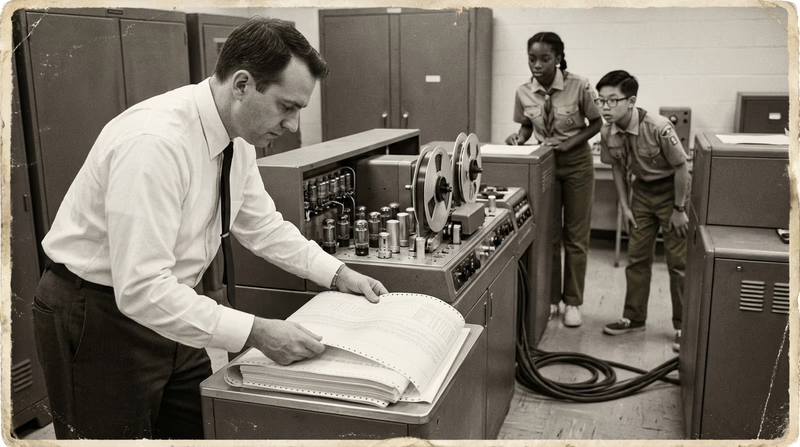
The idea of machines that can “think” is older than you might expect. In 1950, British mathematician Alan Turing published a paper asking a simple but profound question: “Can machines think?” He proposed a test — now called the Turing Test — where a human judge has a conversation with both a person and a machine. If the judge cannot reliably tell which is which, the machine passes the test.
- Purpose: Explore whether machines could replicate human thought
- Mindset: Theoretical, experimental — most people thought true AI was decades or even centuries away
Six years later, in 1956, a group of researchers gathered at Dartmouth College and officially coined the term “artificial intelligence.” They believed that every aspect of learning could, in principle, be described so precisely that a machine could be made to simulate it. The field of AI was born — but progress would prove much harder and slower than those early pioneers expected.
Now — AI Everywhere
Today, AI is not locked in a research lab. It is in your pocket, on your kitchen counter, and woven into nearly every app and website you use. Modern AI systems can recognize faces, translate languages in real time, drive cars, diagnose diseases, and generate text, images, and music.
- Purpose: Solve real-world problems at scale — from healthcare to entertainment to environmental science
- Mindset: AI is a tool for everyone, not just computer scientists. The question is no longer “Can machines think?” but “How should we use these powerful tools wisely?”

Get Ready! The world of artificial intelligence is waiting for you to explore it. You do not need to be a coding expert or a math genius to understand AI — you just need curiosity and the willingness to ask good questions. Let’s dive in!
Kinds of Artificial Intelligence
Before we jump into the requirements, let’s look at the major areas of AI. This is a field with many branches, and each one does something different.
Narrow AI (Weak AI)
This is the kind of AI you interact with every day. Narrow AI is designed to do one specific task really well. Your voice assistant (Siri, Alexa, Google Assistant) is narrow AI — it can answer questions and play music, but it cannot drive a car or write a novel. It does not “understand” what it is doing the way a human does; it follows patterns in data.
Machine Learning (ML)
Machine learning is a subset of AI where systems learn from data instead of being explicitly programmed with rules. Instead of a programmer writing “if the email contains these words, it is spam,” a machine learning system looks at thousands of examples of spam and non-spam emails and figures out the patterns on its own.
Natural Language Processing (NLP)
NLP is the branch of AI that deals with human language — reading, writing, speaking, and understanding it. When you talk to a voice assistant, use a translation app, or interact with a chatbot, you are using NLP. It is what allows AI to process the messy, complicated way humans communicate.
Computer Vision
Computer vision teaches machines to “see” and interpret images and video. It powers facial recognition on your phone, helps self-driving cars detect pedestrians, and allows doctors to spot tumors in medical scans. If NLP is about language, computer vision is about sight.
Robotics & AI
When AI meets the physical world, you get robots. AI-powered robots can assemble cars in factories, explore the surface of Mars, or vacuum your living room floor. The AI acts as the “brain,” making decisions based on what the robot’s sensors detect.
Generative AI
Generative AI is one of the newest and most exciting areas. These systems can create new content — text, images, music, code, and video — based on patterns they learned from enormous datasets. Tools like ChatGPT, DALL-E, and Midjourney are examples of generative AI. You give them a prompt, and they generate something new.
Now let’s explore the requirements for the Artificial Intelligence Merit Badge!
Req 1 — Key AI Terms
This requirement is your vocabulary boot camp. Before you can build, discuss, or critique AI, you need to speak the language. These 16 terms are the building blocks you will use throughout the rest of this merit badge. Think of them like trail markers — once you know what each one means, you will never feel lost in a conversation about artificial intelligence.
Do not just memorize definitions. Try to think of a real-world example for each term. When you meet with your counselor, connecting a definition to something concrete shows that you truly understand it.

The Core Terms
Artificial Intelligence (AI)
Artificial intelligence is the broad field of computer science focused on building systems that can perform tasks that normally require human intelligence. This includes things like recognizing speech, making decisions, translating languages, and identifying objects in photos. AI does not mean a robot that thinks like a person — it means software that can handle complex tasks by finding patterns in data.
Artificial Intelligence Agents
An AI agent is a system that can perceive its environment, make decisions, and take actions to achieve a goal — often without being told exactly what to do at each step. Think of a self-driving car: it senses the road, decides when to brake or turn, and acts on those decisions in real time. AI agents range from simple (a thermostat that adjusts temperature) to complex (a system that manages an entire warehouse).
Automation
Automation is the use of technology to perform tasks with minimal human involvement. It is important to understand that not all automation is AI. A simple timer that turns your porch light on at sunset is automation — it follows a fixed rule. AI-powered automation can adapt and learn. We will explore this distinction much more in Requirement 3.
Basic Programming
Programming is writing instructions that a computer can follow. These instructions are written in a “programming language” like Python, JavaScript, or Scratch. Basic programming means understanding concepts like giving a computer step-by-step commands, using loops (repeating actions), and making decisions with “if-then” logic. You do not need to be an expert coder for this badge, but understanding the idea that AI systems are ultimately built on code is essential.
Bots
A bot is a software program that runs automated tasks. Chatbots are the most common example — when you visit a website and a chat window pops up asking “How can I help you?”, that is usually a bot. Bots can be simple (following a script of pre-written answers) or AI-powered (understanding your question and generating a unique response). Social media bots can automatically post, like, or share content.
Data
Data is information — numbers, text, images, sounds, measurements, or any other facts that can be collected and stored. Data is the fuel that powers AI. Without data, AI systems have nothing to learn from. When you take a photo, type a message, or click a link, you are creating data.
Databases
A database is an organized collection of data stored electronically. Think of it like a giant, searchable filing cabinet. Your school’s student records are in a database. A streaming service’s library of movies is a database. AI systems query (ask questions of) databases to find the information they need.
Digital Workers
A digital worker is an AI-powered software program that can handle entire business processes — not just a single task. While a bot might answer one question, a digital worker can process an insurance claim from start to finish: reading the form, checking the policy, calculating the amount, and sending the payment. They are sometimes called “virtual employees.”
General AI
General AI (also called Artificial General Intelligence or AGI) is a theoretical type of AI that could understand, learn, and apply intelligence across any task — just like a human. A general AI could write a poem, diagnose an illness, fix a car, and play chess, all with the same system. General AI does not exist yet. Every AI system in use today is narrow AI.
Machine Learning (ML)
Machine learning is a subset of AI where systems improve through experience instead of being explicitly programmed. Instead of writing rules like “if the email contains ‘free money,’ mark it as spam,” you feed the system thousands of examples of spam and non-spam emails, and it figures out the patterns on its own. The more data it processes, the better it gets.
Narrow AI
Narrow AI (also called “weak AI”) is AI designed to do one specific task very well. Your voice assistant, your email spam filter, the facial recognition on your phone — these are all narrow AI. They are extremely capable at their specific job but cannot do anything outside that job. A chess AI cannot drive a car, and a translation AI cannot diagnose a disease.
Superintelligent AI
Superintelligent AI is a hypothetical future AI that would surpass human intelligence in every domain — science, creativity, social skills, and everything else. This concept exists mostly in science fiction and philosophical debate. Superintelligent AI does not exist, and many researchers question whether it is even possible. However, thinking about it helps us discuss important questions about safety and control.
Tasks
In the context of AI, a task is a specific action or job that a system is designed to perform. Examples include: classify an image, translate a sentence, recommend a video, detect fraud, or generate a paragraph of text. Most AI systems are built around completing one or a few closely related tasks.
Triggers
A trigger is an event or condition that starts an automated action. When you say “Hey Siri,” that phrase is a trigger — it activates the voice assistant. In workflow automation, a trigger might be “when a new email arrives” or “when a form is submitted.” Triggers are the “starting gun” for automated processes.
Workflows
A workflow is a sequence of steps that accomplish a task from start to finish. In AI and automation, workflows connect triggers, tasks, and decisions into a chain. For example: a customer submits a support request (trigger) → the system reads the request (task) → it routes the request to the right department (decision) → a response is sent (task). Tools like Zapier and Microsoft Power Automate let people build workflows without writing code.
Variables
A variable is a piece of information that can change. In programming, a variable is like a labeled container that holds data — the label stays the same, but the contents can be updated. For example, a variable called temperature might hold the value 72 right now but change to 68 later. AI systems use variables to track inputs, store results, and make decisions.
Putting It All Together
These 16 terms are deeply connected. Data feeds into machine learning systems that power artificial intelligence. An AI agent might use variables and triggers to execute tasks within a workflow. Bots and digital workers are practical applications built on these concepts. And the distinction between narrow AI, general AI, and superintelligent AI helps us understand where the technology is today versus where it might go in the future.
IBM — What is Artificial Intelligence? A clear, comprehensive overview of AI concepts from one of the world's leading technology companies. Link: IBM — What is Artificial Intelligence? — https://www.ibm.com/think/topics/artificial-intelligence Code.org — How AI Works Free video series explaining AI concepts in a way that is perfect for students. Covers machine learning, training data, and ethics. Link: Code.org — How AI Works — https://code.org/curriculum/how-ai-worksReq 2a–c — AI All Around You
AI is not something that exists only in research labs or science fiction movies. It is already woven into the fabric of your daily life — you probably interact with AI dozens of times a day without even thinking about it. Requirements 2A, 2B, and 2C ask you to open your eyes and start noticing.
The goal here is not to hand you a list to memorize. It is to help you develop “AI awareness” — the ability to recognize when technology is using artificial intelligence behind the scenes. Once you start looking, you will find AI everywhere.
AI in Your Everyday Life
Here are categories where AI shows up in your day-to-day world. Use these as starting points, but challenge yourself to find your own examples too.
Voice Assistants
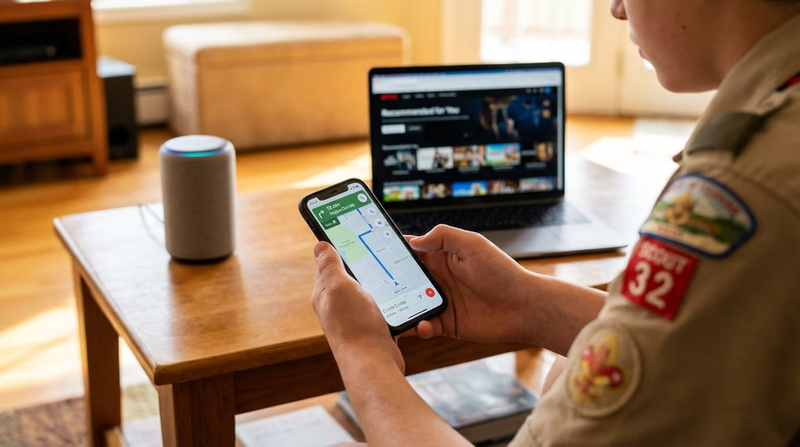
When you say “Hey Siri,” “Alexa,” or “OK Google,” you are activating an AI system that uses natural language processing to understand your words and respond. These systems convert your speech to text, interpret the meaning, find an answer, and speak it back to you — all in a second or two.
Recommendation Engines
Ever wonder how Netflix seems to know what show you want to watch next? Or how Spotify builds a playlist that matches your taste perfectly? These services use machine learning to analyze what you have watched or listened to, compare it with millions of other users, and predict what you will enjoy.
Navigation and Maps
Google Maps and Waze use AI to predict traffic patterns, calculate the fastest route, and reroute you in real time if there is an accident or road closure ahead. The system learns from the data of millions of other drivers on the road right now.
Smartphone Features
Your phone is packed with AI: autocorrect learns your typing habits, the camera uses AI to adjust lighting and focus, face recognition unlocks the screen, and photo apps can automatically organize your pictures by recognizing who is in them.
Social Media Feeds
The posts you see on Instagram, TikTok, or YouTube are not random. AI algorithms decide what to show you based on what you have liked, shared, watched, and how long you paused on each post. The goal is to keep you engaged — which is why understanding this is important.
Email Filtering
Your email’s spam filter is one of the oldest and most reliable uses of machine learning. It analyzes incoming messages and sorts them into your inbox, promotions, or spam folder based on patterns it has learned from billions of emails.
Online Shopping
When an online store says “Customers who bought this also bought…” — that is AI. These recommendation systems drive a significant portion of e-commerce sales by predicting what you might want based on your browsing and purchase history.
Video Games
Many video games use AI for non-player characters (NPCs) that react to your actions, difficulty systems that adjust to your skill level, and procedural generation that creates unique worlds every time you play.
Smart Home Devices
Robot vacuums like Roomba use AI to map your home and navigate around furniture. Smart thermostats like Nest learn your temperature preferences and schedule. Security cameras use AI to distinguish between a person, an animal, and a car.
Healthcare (Even for You)
If you have ever used a symptom checker app or a fitness tracker that monitors your heart rate for unusual patterns, you have used AI in healthcare. These tools use machine learning to spot things that might need attention.
AI in the Workplace
AI is transforming how adults work across nearly every industry. Here are areas to explore:
Customer Service
Many companies use AI chatbots to answer common questions 24 hours a day. More advanced systems can understand complex requests, look up account information, and resolve issues without a human ever getting involved.
Healthcare and Medicine
AI helps doctors read X-rays, MRIs, and CT scans by highlighting areas that might indicate disease. Some AI systems can detect certain cancers earlier than human radiologists. AI also accelerates the process of discovering and testing new medicines.
Manufacturing and Quality Control
In factories, AI-powered cameras inspect products on assembly lines, catching defects that human eyes might miss. AI also predicts when machines are about to break down, allowing companies to fix them before production stops.
Finance and Banking
Banks use AI to detect fraud by monitoring transactions in real time. If your parent’s credit card is suddenly used in a different country, AI flags that transaction instantly. AI also helps with loan decisions, investment analysis, and risk assessment.
Agriculture
Farmers use AI-equipped drones to survey crops, detect diseases, and determine exactly how much water and fertilizer each section of a field needs. This “precision agriculture” saves resources and increases food production.

AI in Education
AI is already changing how students learn and how teachers teach. Here are examples relevant to your own school experience:
Personalized Learning Platforms
Tools like Khan Academy, Duolingo, and IXL use AI to adapt to your level. If you ace a set of math problems, the system gives you harder ones. If you struggle, it backs up and teaches the concept a different way. This means you get a learning experience tailored just for you.
Writing and Grammar Tools
Grammarly and similar tools use AI to catch spelling mistakes, suggest better word choices, and even flag unclear sentences. These tools go far beyond a simple spell-checker — they understand context and writing style.
Translation and Accessibility
AI-powered translation tools like Google Translate help students who speak different languages collaborate. Text-to-speech tools help students with visual impairments, and speech-to-text tools help students who have difficulty writing by hand.
Research Assistance
AI can help you find relevant sources for a research paper, summarize long articles, and even suggest related topics you might not have considered. However, you must always verify what AI tells you — it can make mistakes.
Tutoring and Homework Help
AI tutoring tools can explain concepts step by step, work through practice problems with you, and answer questions at any time of day. They supplement (but do not replace) your teachers.
AI4ALL — Open Learning Free AI education resources designed for students. Explore lessons, activities, and real-world AI examples. Link: AI4ALL — Open Learning — https://ai-4-all.org/resources/ Google AI Experiments A collection of interactive AI experiments you can try right in your browser — including Quick, Draw! where AI tries to guess your doodles. Link: Google AI Experiments — https://experiments.withgoogle.com/collection/aiReq 2d — AI or Not?
This is one of the most fun parts of the merit badge — and also one of the most educational. The “AI or Not?” game tests your ability to distinguish between technology that truly uses artificial intelligence and technology that simply follows fixed rules.
This distinction matters because the term “AI” gets thrown around a lot in marketing. Companies love to slap “AI-powered” on their products, but not everything labeled AI actually uses machine learning or intelligent decision-making. Developing a keen eye for what is and is not AI is a critical thinking skill that will serve you well.

The Key Question: Does It Learn?
Here is the simplest way to decide: Does the system learn from data and adapt, or does it follow a fixed set of rules that never change?
- AI: A photo app that gets better at recognizing your face over time → It learns from new photos.
- Not AI: A motion-sensor porch light that turns on when someone walks by → It follows a single fixed rule.
The Spectrum of “Smartness”
Not everything is black and white. Technology exists on a spectrum:
- Simple automation — Fixed rules, no learning. (Timer, thermostat set to 72°F)
- Complex automation — Many rules, but still no learning. (A calculator, an alarm system with zones)
- AI-assisted — Uses some machine learning, but mostly rule-based. (Basic spam filter)
- AI-powered — Machine learning is central to how it works. (Voice assistant, recommendation engine)
Practice Scenarios
Before your counselor meeting, sharpen your instincts with these practice scenarios. For each one, ask yourself: Does it learn? Does it adapt? Or is it following fixed rules?
Scenario 1: A Calculator App
You type 2 + 2 and it shows 4. AI or Not?
Not AI. A calculator follows mathematical rules. It does not learn or adapt. It gives the same answer every time for the same input — which is exactly what you want!
Scenario 2: A Music Playlist That Updates Weekly
Spotify’s “Discover Weekly” creates a new playlist for you every Monday based on what you have been listening to. AI or Not?
AI. Spotify uses machine learning to analyze your listening patterns, compare them with millions of other users, and predict songs you will enjoy. The playlist is different for every person and changes over time.
Scenario 3: A Crosswalk Signal
The “Walk” and “Don’t Walk” signs at an intersection change on a timer. AI or Not?
Not AI. It is a fixed-timer automation. It does not sense anything or learn anything — it just follows a programmed cycle.
Scenario 4: Your Phone’s Autocorrect
As you type, your phone predicts the next word and corrects misspellings. Over time, it learns words you use often (including names and slang). AI or Not?
AI. Modern autocorrect uses natural language processing and adapts to your personal typing patterns. It is not just checking a dictionary — it is predicting what you mean based on context.
Scenario 5: A Vending Machine
You insert money, press a button, and a snack drops out. AI or Not?
Not AI. This is basic automation — a mechanical process triggered by your input. No learning, no adaptation.
Tricky Ones to Watch For
Some scenarios will be harder to call. Here are common tricky cases:
- A thermostat set to 72°F → Not AI (fixed rule)
- A Nest thermostat that learns your schedule → AI (it adapts)
- A search engine showing results → AI (ranking uses machine learning)
- An alarm clock → Not AI (fixed time trigger)
- A car’s cruise control → Not AI (maintains set speed)
- A car’s adaptive cruise control that adjusts to traffic → AI-assisted (uses sensors and makes decisions)
The Gray Area
Some technologies sit right on the boundary. A modern washing machine with a “smart sensor” that adjusts water level based on load weight is using sensors and rules — but is it AI? Most experts would say no, because it is not learning from past laundry loads. It is measuring and reacting, which is sophisticated automation but not machine learning.
When you hit a gray area, the best approach is to explain your reasoning to your counselor. There is not always one right answer — the discussion is the point.
Machine Learning for Kids A free, hands-on tool where you can train your own simple AI models using Scratch. A great way to see the difference between AI and regular programming. Link: Machine Learning for Kids — https://machinelearningforkids.co.uk/ Google Teachable Machine Train a machine learning model using your webcam, microphone, or images. No coding required — see AI learning in real time. Link: Google Teachable Machine — https://teachablemachine.withgoogle.com/Req 2e — AI Timeline
The history of artificial intelligence is a story of big dreams, long winters, and explosive breakthroughs. Understanding where AI came from helps you appreciate how far the technology has come — and where it might be headed.
For this requirement, you need to pick five milestones and present them as a timeline. Below, you will find many more than five so you have plenty to choose from. Pick the ones that interest you the most or that you think tell the best story of how AI evolved.

Major Milestones in AI History
1950 — Alan Turing Asks “Can Machines Think?”
British mathematician Alan Turing published a groundbreaking paper called “Computing Machinery and Intelligence.” In it, he proposed what we now call the Turing Test: if a machine can carry on a conversation so well that a human judge cannot tell whether they are talking to a person or a machine, then the machine can be considered “intelligent.” This paper laid the philosophical foundation for the entire field.
1956 — The Birth of AI at Dartmouth
A group of researchers gathered at Dartmouth College in New Hampshire for a summer workshop. They believed that “every aspect of learning or any other feature of intelligence can in principle be so precisely described that a machine can be made to simulate it.” At this workshop, the term “artificial intelligence” was officially coined. The field had a name — and a mission.
1966 — ELIZA, the First Chatbot
MIT professor Joseph Weizenbaum created ELIZA, a program that could hold a text-based conversation by mimicking a therapist. ELIZA did not understand language — it used pattern matching to turn your statements into questions. But it was so convincing that some people believed they were talking to a real therapist. ELIZA showed both the potential and the dangers of making machines seem human.
1974–1993 — The AI Winters
Twice in AI’s history, excitement gave way to disappointment when the technology failed to deliver on its grand promises. Funding dried up, projects were abandoned, and researchers moved to other fields. These periods — roughly 1974–1980 and 1987–1993 — are called the “AI Winters.” They remind us that progress in technology is rarely a straight line.
1997 — Deep Blue Defeats a World Chess Champion
IBM’s Deep Blue computer defeated reigning world chess champion Garry Kasparov in a six-game match. It was the first time a computer beat a world champion under standard tournament conditions. The event made global headlines and proved that machines could outperform humans at complex strategic tasks.
2011 — Watson Wins Jeopardy!
IBM Watson competed on the TV quiz show Jeopardy! against two of the show’s greatest human champions — Ken Jennings and Brad Rutter — and won. Unlike chess, Jeopardy! requires understanding puns, wordplay, and general knowledge. Watson’s victory showed that AI could handle the messy, ambiguous nature of human language.
2012 — The Deep Learning Revolution
A neural network called AlexNet won the ImageNet competition by a huge margin, dramatically outperforming traditional methods at identifying objects in photographs. This event kicked off the deep learning revolution — a period of rapid AI advancement powered by large neural networks and massive datasets. Nearly every modern AI breakthrough traces back to this moment.
2016 — AlphaGo Masters the “Unbeatable” Game
Google DeepMind’s AlphaGo defeated world champion Lee Sedol at the board game Go — a game with more possible positions than atoms in the universe. Experts had predicted that AI would not master Go for at least another decade. AlphaGo did not just play well; it made creative, unexpected moves that stunned professional players.
2022 — ChatGPT Changes Everything
In November 2022, OpenAI released ChatGPT to the public. It could write essays, answer questions, generate code, and hold remarkably human-like conversations. Within two months, it reached 100 million users — the fastest-growing consumer application in history. ChatGPT brought generative AI into the mainstream and sparked a worldwide conversation about how AI will reshape society.
2023–Present — The Age of AI Everywhere
Following ChatGPT’s release, AI capabilities exploded. Image generators, video creators, coding assistants, and AI-powered search engines became everyday tools. Governments around the world began drafting AI regulations. The European Union passed the AI Act, the first comprehensive AI law. AI moved from a niche technology topic to the front page of every newspaper.
Building Your Timeline
Your timeline needs five milestones. Here are some tips for making it great:
Timeline Tips
How to create a strong timeline for your counselor- Choose milestones that tell a story: Pick events that connect to each other and show how AI progressed over time.
- Include at least one early milestone: Starting with 1950 or 1956 gives your timeline historical depth.
- Include at least one recent milestone: Ending with 2022 or later shows you understand modern AI.
- Add a sentence or two for each milestone: Do not just list dates — explain why each event was important.
- Consider including an AI Winter: Showing that progress was not always smooth demonstrates deeper understanding.
- Make it visual: A drawn timeline, a poster, or a digital presentation all work. Adding images makes it more engaging.
Req 3a–c — Automation All Around You
In Requirement 2, you explored where AI shows up in your life. Now we turn to its close relative: automation. While AI and automation are related, they are not the same thing. Understanding the difference is one of the key lessons of this merit badge.
Here is the simplest way to think about it:
- Automation = a machine performing a task without human help, following set rules
- AI = a machine that can learn, adapt, and make decisions from data
All AI involves automation, but not all automation involves AI. A dishwasher is automated — it follows a fixed cycle every time you press “Start.” But it is not AI because it does not learn anything or adapt to your dishes.

Automation in Your Everyday Life
Automation is everywhere — and it has been around much longer than AI. Here are categories to get you thinking:
Home Appliances
Your home is full of automation. A washing machine runs through a programmed cycle of fill, wash, rinse, and spin. A dishwasher heats water, sprays, drains, and dries. A programmable coffeemaker starts brewing at 6:30 AM every morning. None of these learn or adapt — they follow the same steps every time.
Thermostats and Climate Control
A basic thermostat turns the heater on when the temperature drops below a set point and off when it is reached. This is automation at its simplest: a trigger (temperature drops) and a response (turn on heat). Note that a “smart” thermostat like Nest crosses into AI territory because it learns your preferences.
Traffic Systems
Traffic lights run on automated timers or sensors embedded in the road. Some intersections have sensors that detect when a car is waiting and change the light accordingly. This is automation — it follows a program, but it does not learn.
Automatic Doors and Elevators
Motion-sensor doors at stores and automatic elevator systems respond to triggers (a person approaching, a button press) with a fixed response. No learning, no adaptation — just reliable, repeated action.
Sprinkler Systems
Many homes and parks use sprinkler systems on timers or moisture sensors. The system activates at a set time or when the soil gets dry enough. More advanced systems use weather data to skip watering if rain is expected — but this is still rule-based, not AI.
Banking
ATMs are one of the earliest examples of automation in daily life. You insert your card, enter a PIN, and the machine dispenses cash following a strict set of rules. Online bill pay, automatic savings transfers, and direct deposit are all forms of financial automation.
Alarms and Notifications
Your alarm clock, calendar reminders, and phone notifications are all automated triggers. They fire at a specific time or when a specific condition is met.
Self-Checkout Registers
The barcode scanner at a self-checkout reads a product code and looks up the price in a database. It follows a strict sequence of rules. However, some newer systems add AI features like computer vision to identify items without barcodes.
Automation in the Workplace
Automation transformed the workplace long before AI arrived. Here are key areas:
Manufacturing and Assembly Lines
Robotic arms weld car bodies, paint surfaces, and package products. These robots perform the same motion thousands of times with perfect precision. They follow programmed instructions and do not learn or adapt — they just execute.
Shipping and Logistics
Warehouses use automated conveyor belts, sorting systems, and barcode scanners to move packages from storage to shipping trucks. Amazon’s fulfillment centers use a mix of automation (conveyor systems) and AI (robot navigation) to process millions of orders daily.

Accounting and Payroll
Payroll systems automatically calculate hours worked, apply tax rates, and deposit paychecks on a set schedule. Invoicing software can automatically generate and send bills when a job is completed. These follow fixed rules and formulas.
Email Auto-Responders
Many businesses set up automatic email replies: “Thank you for your message. We will get back to you within 24 hours.” This is simple automation — no AI is analyzing the message or deciding how to respond.
Document Workflows
When someone submits a form online (like a job application or insurance claim), automated workflows can route it to the right department, send confirmation emails, and flag incomplete fields — all without human intervention.
Automation in Education
Automation helps teachers and students save time on repetitive tasks:
Automatic Grading
Multiple-choice tests, quizzes, and some math assignments can be graded automatically by software. The system checks each answer against the answer key — no learning required, just comparison.
Learning Management Systems
Platforms like Google Classroom and Canvas automatically distribute assignments, track due dates, send reminders, and calculate grades. These systems follow rules set by teachers.
Attendance Systems
Some schools use card swipes, barcode scans, or check-in apps to automatically record attendance. The system does not need to “think” — it simply logs the data.
Library Systems
When you check out a book, the library system automatically updates the catalog, sets a due date, and sends you a reminder when the book is almost due. All automated, all rule-based.
Scheduled Communications
Schools use automated systems to send announcements, report cards, and emergency notifications to parents. These messages are triggered by events (end of grading period, weather emergency) and sent without anyone pressing “Send” each time.
Coursera — Automation vs. AI: Key Differences A clear comparison of automation and AI, with examples that help you understand where one ends and the other begins. Link: Coursera — Automation vs. AI: Key Differences — https://www.coursera.org/articles/automation-vs-aiReq 3d — How Automation Works
Now that you can identify automation in the real world, let’s go deeper. How does automation actually work? And why do businesses, schools, and governments rely on it so heavily?
The Three Building Blocks of Automation
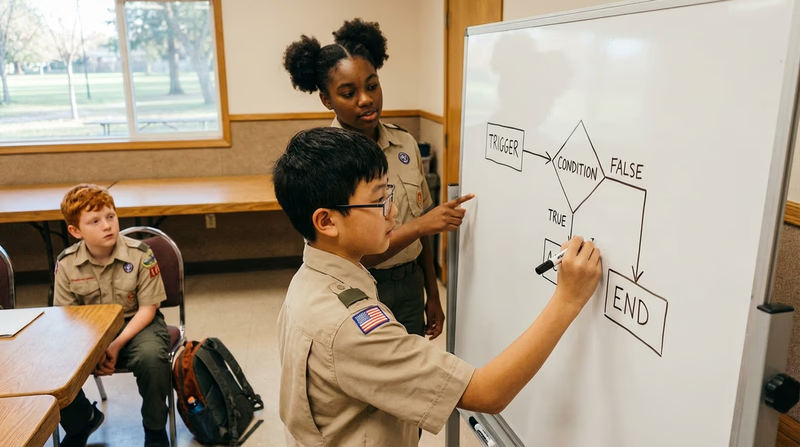
Every automated system — from a dishwasher to a factory robot — is built on three simple concepts:
1. Triggers
A trigger is the event that starts an automated process. Remember this term from Requirement 1? Here it is in action:
- A motion sensor detects someone approaching → the door opens
- The clock hits 6:30 AM → the coffeemaker starts
- A temperature sensor reads below 68°F → the heater turns on
- A new email arrives → an auto-reply is sent
Without a trigger, nothing happens. The trigger is the “if” in “if this, then that.”
2. Rules (Logic)
Once a trigger fires, the system follows a set of rules — pre-programmed instructions that tell it exactly what to do. These rules never change unless a human updates them.
- IF temperature < 68°F → TURN ON heater
- IF temperature ≥ 72°F → TURN OFF heater
- IF item scanned → LOOK UP price in database → ADD to total
This is fundamentally different from AI, which can figure out its own rules from data. Automation’s rules are written by people.
3. Actions
The action is the output — the thing that actually happens. A door opens. A sprinkler turns on. An email is sent. A robotic arm welds a seam. The action is the “then” in “if this, then that.”
How Automation Reduces Human Error
Humans are creative, adaptable, and great at solving new problems. But we are terrible at doing the same thing perfectly thousands of times in a row. We get tired. We get distracted. We make typos. Automation excels precisely where humans struggle.
Consistency
An automated system performs a task the same way every single time. A factory robot that tightens a bolt applies exactly 45 foot-pounds of torque on bolt #1, bolt #1,000, and bolt #1,000,000. A human worker’s grip strength would vary throughout the day.
Speed
Automated systems process information far faster than humans. A barcode scanner reads a product code in milliseconds. A payroll system calculates wages for 10,000 employees in seconds — a task that would take a human accountant weeks.
Accuracy in Repetitive Tasks
When a bank processes millions of transactions, it needs to add, subtract, and verify numbers accurately every time. A tiny error — even a misplaced decimal point — could cost millions of dollars. Automated systems do not get tired or make “fat finger” mistakes.
Error Detection
Automated systems can be programmed to catch errors that humans might miss. For example, if a data entry system notices that a zip code does not match a state, it can flag the entry for review. If a sensor on an assembly line detects a product outside of acceptable dimensions, it can automatically reject it.
How Automation Optimizes Resources
“Optimizing resources” means getting the most out of your time, money, energy, and materials. Automation is a master optimizer.
Time
By handling repetitive tasks, automation frees up humans to do creative, strategic, or interpersonal work that machines cannot do. A teacher who uses automatic grading for multiple-choice quizzes has more time to give personal feedback on essays.
Materials
Automated systems can measure and cut materials with precision, reducing waste. In manufacturing, a laser cutter controlled by a program wastes far less material than a human cutting by hand.
Energy
Smart building systems automate lighting and climate control based on occupancy. If no one is in a conference room, the lights turn off and the HVAC adjusts — saving electricity automatically.
Money
Every hour a human does not have to spend on a repetitive task is an hour they can spend on higher-value work. Businesses estimate that automation saves hundreds of billions of dollars globally each year by reducing errors and speeding up processes.
IFTTT — If This, Then That A free tool that lets you build simple automations connecting your apps and devices. Great for understanding triggers, rules, and actions. Link: IFTTT — If This, Then That — https://ifttt.com/Req 3e — Automation Timeline
Automation did not start with computers. Humans have been building machines to do repetitive work for thousands of years. Your timeline for this requirement tells the story of how we went from water wheels to warehouse robots.
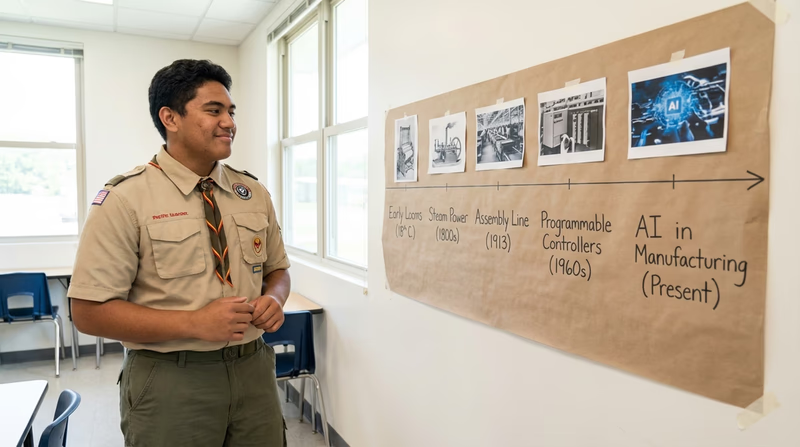
Just like with the AI timeline in Requirement 2e, pick the five milestones that interest you most and present them with a brief explanation of why each one mattered.
Major Milestones in Automation History
~270 BC — The Water Clock of Ctesibius
The ancient Greek inventor Ctesibius built one of the earliest known automatic devices: a water clock that kept time by regulating the flow of water through a mechanism. It required no human intervention to operate — the earliest concept of a self-running machine.
1784 — The Power Loom
Edmund Cartwright patented the power loom, which automated the weaving of cloth. Before this, fabric was woven entirely by hand on manual looms. The power loom was a key invention of the Industrial Revolution and dramatically increased textile production.
1913 — Henry Ford’s Assembly Line
Henry Ford did not invent the automobile, but he revolutionized how they were built. His moving assembly line at the Highland Park plant in Michigan reduced the time to build a Model T from over 12 hours to about 93 minutes. Each worker performed one specific task as the car moved past them. This was automation of process — breaking a complex job into repeatable steps.
1947 — The Transistor
Scientists at Bell Labs invented the transistor — a tiny electronic switch that could be turned on and off billions of times per second. Transistors replaced bulky vacuum tubes and made modern electronics possible. Without transistors, there would be no computers, no smartphones, and no digital automation of any kind.
1954 — The First Industrial Robot
George Devol patented “Unimate,” the first programmable industrial robot. In 1961, it was installed at a General Motors plant, where it lifted and stacked hot metal parts from a die-casting machine — a dangerous job that had been done by human workers. Unimate launched the era of robotic automation in manufacturing.
1969 — The Programmable Logic Controller (PLC)
The PLC was invented for General Motors to replace the complex relay systems that controlled factory equipment. PLCs allowed engineers to reprogram factory automation with software instead of rewiring physical circuits. Today, PLCs control everything from traffic lights to roller coasters to water treatment plants.
1971 — The First Email Auto-Responder
Shortly after email was invented, someone figured out how to make a computer automatically reply to messages. This was one of the first examples of software-based office automation — a concept that would grow into the massive workflow automation industry we see today.
2001 — Roomba, the Robot Vacuum
iRobot’s Roomba brought automation into people’s homes in a new way. It navigated rooms autonomously using sensors and pre-programmed movement patterns. While early Roombas were not AI-powered (they bounced off walls randomly), they showed millions of people what a personal robot could do.
2011 — IFTTT Launches
The app “If This, Then That” made automation accessible to everyone. For the first time, non-programmers could connect their apps and devices with simple trigger-and-action rules — like “If it rains tomorrow, send me a reminder to bring an umbrella.” IFTTT democratized automation.
2020s — Workflow Automation Everywhere
Tools like Zapier, Microsoft Power Automate, and Make.com allow businesses and individuals to automate complex multi-step workflows without writing code. A Scout leader could set up an automation that sends a reminder email three days before every meeting, updates a spreadsheet when someone RSVPs, and posts a notification in a group chat — all automatically.
Building Your Timeline
Automation Timeline Tips
Make your timeline stand out- Span a wide range of time: Include at least one ancient or early industrial milestone and at least one modern one.
- Show the progression: Your milestones should illustrate how automation evolved from mechanical to electronic to software.
- Explain the impact: For each milestone, add a sentence about why it changed the world.
- Compare with your AI timeline: Notice how automation history is much older than AI history. Automation started with gears and levers; AI started with math and computers.
- Get creative with your format: A hand-drawn poster, a digital slideshow, or even a physical model all work great.
Req 4a — Bias, Privacy & Decisions
Up to this point, we have explored what AI is, where it shows up, and how it works. Now comes arguably the most important topic of the entire merit badge: ethics. Technology is a tool, and like any tool, it can be used well or used poorly. Understanding the ethical challenges of AI is what separates someone who just uses technology from someone who uses it responsibly.

What Are AI Ethics?
AI ethics is the study of how to build and use AI systems in ways that are fair, safe, transparent, and respectful of human rights. It asks questions like:
- Who benefits from this technology — and who might be harmed?
- Is the AI making decisions that are fair to everyone?
- Who is responsible when AI makes a mistake?
- How much of our personal information should AI systems be allowed to use?
These are not easy questions, and there are rarely simple answers. That is what makes ethics so important — it requires you to think critically and consider multiple perspectives.
Bias in AI
What Is AI Bias?
AI bias occurs when an AI system produces results that are systematically unfair to certain groups of people. This usually happens because the training data — the information the AI learned from — reflects existing human biases.
How Does Bias Get Into AI?
AI does not have opinions or prejudices. But it learns from data created by humans — and human data is messy. Here are ways bias creeps in:
- Historical bias: If an AI is trained on historical hiring data from a company that favored one group of people, the AI will learn to favor that same group.
- Representation bias: If a facial recognition system is trained mostly on photos of people with lighter skin, it will be less accurate at recognizing people with darker skin.
- Measurement bias: If an AI uses zip codes as a factor in loan decisions, it may inadvertently discriminate based on race because of historical patterns of segregation.
Real-World Example
In 2018, researchers discovered that some commercial facial recognition systems had error rates of up to 35% for darker-skinned women, compared to less than 1% for lighter-skinned men. The AI was not intentionally biased — it simply had far more training examples of lighter-skinned faces.
What Can Be Done?
- Diverse training data: Make sure the data represents all groups fairly.
- Regular auditing: Test AI systems to check for biased outcomes.
- Diverse teams: Include people from different backgrounds in the development process.
- Transparency: Require companies to explain how their AI makes decisions.
Privacy in AI
The Data Dilemma
AI systems need enormous amounts of data to learn. But that data often comes from people — their online activity, location history, photos, voice recordings, and purchasing habits. This creates a fundamental tension: AI gets better with more data, but collecting more data means less privacy for people.
What’s Being Collected?
Think about a single day in your life:
- Your phone tracks your location
- Your search engine records what you look for
- Your streaming service logs what you watch and when you pause
- Your voice assistant listens for its wake word (and sometimes records more)
- Social media tracks what you look at, what you like, and how long you linger on each post
All of this data can be used to train AI models or to target you with advertising.
Key Privacy Questions
- Consent: Did you agree to your data being collected? Did you understand what you agreed to?
- Purpose: Is your data being used only for the stated purpose, or is it being sold or shared?
- Security: Is your data stored safely, or could it be stolen in a breach?
- Deletion: Can you ask a company to delete your data? How?
AI Decision-Making
When AI Makes Decisions That Matter
AI is increasingly being used to make decisions that significantly affect people’s lives:
- Healthcare: AI helps decide which patients to prioritize or which treatments to recommend.
- Criminal justice: Some courts use AI “risk scores” to help decide bail and sentencing.
- Education: AI can determine which students get placed in advanced classes.
- Employment: AI screens resumes and decides who gets an interview.
The “Black Box” Problem
Many advanced AI systems, especially deep neural networks, are so complex that even their creators cannot fully explain why they made a specific decision. This is called the “black box” problem. If an AI denies someone a loan, and nobody can explain why, is that fair? Most people — and most ethicists — say no.
Accountability
When a human makes a bad decision, we can hold them accountable. But who is responsible when an AI makes a harmful decision?
- The company that built the AI?
- The company that deployed it?
- The person who trained it with data?
- The user who relied on its recommendation?
This is one of the most actively debated questions in AI ethics, and governments around the world are working to establish clear rules.
AI4ALL — Ethics Resources Educational resources about AI ethics designed for students, including lesson plans and discussion activities. Link: AI4ALL — Ethics Resources — https://ai-4-all.org/resources/ Code.org — How AI Works: Ethics Free video lessons covering AI bias, fairness, and responsible use — built for middle and high school students. Link: Code.org — How AI Works: Ethics — https://code.org/curriculum/how-ai-worksReq 4b — What Would You Do?
This requirement puts you in the hot seat. Your counselor will present you with five scenarios where AI creates an ethical dilemma, and you need to decide: What is the right thing to do? There is often no single “correct” answer — what matters is how you reason through the problem.

How to Approach Ethical Scenarios
When your counselor gives you a scenario, use this framework to organize your thinking:
Ethical Thinking Framework
Steps to work through any AI ethics scenario- Identify the stakeholders: Who is affected? (The user, the company, the public, a specific group of people?)
- Identify the values in tension: What competing values are at stake? (Privacy vs. safety? Fairness vs. efficiency? Convenience vs. accuracy?)
- Consider consequences: What happens if you choose Option A? What about Option B? Who benefits and who is harmed?
- Apply the Scout Law: Is this choice trustworthy? Helpful? Fair? Kind? Think about how the Scout Law applies.
- State your decision and reasoning: Be clear about what you would do and why. It is okay to acknowledge uncertainty.
Practice Scenarios
Here are sample scenarios to think about before you meet with your counselor. These may not be the exact ones your counselor uses, but practicing will sharpen your ethical reasoning.
Scenario 1: The AI Homework Helper
A classmate tells you they used an AI chatbot to write their entire history essay and plan to turn it in as their own work. They say everyone is doing it and the teacher will never know.
Think about:
- Is using AI to write an essay the same as cheating?
- Where is the line between using AI as a learning tool and using it to avoid learning?
- What would happen if everyone did this? Would anyone actually learn the material?
- What would you say to your classmate?
Scenario 2: The Biased Hiring System
A company uses an AI to screen job applications. It was trained on data from the past 10 years of successful employees. Someone discovers that the AI consistently ranks women lower than men for engineering positions — because most engineers in the training data were men.
Think about:
- Is the AI being “unfair” or is it reflecting real-world unfairness?
- Should the company keep using the AI? Fix it? Scrap it?
- Who is responsible — the AI developers, the company, or both?
Scenario 3: The Social Media Algorithm
A social media platform’s AI keeps recommending increasingly extreme content to a teenager because the algorithm discovered that extreme content keeps people watching longer. The teenager starts believing conspiracy theories.
Think about:
- Should the AI be designed to maximize watch time, even if the content is harmful?
- Is the platform responsible for what its algorithm recommends?
- What safeguards should exist for younger users?
Scenario 4: The Self-Driving Car Dilemma
A self-driving car’s AI must make a split-second decision: swerve left and hit a fence (risking injury to the passenger) or continue straight and hit a pedestrian who stepped into the road unexpectedly.
Think about:
- Who should the AI prioritize — the passenger or the pedestrian?
- Who decides the rules the AI follows in these situations?
- Should self-driving cars be allowed if they cannot handle every situation perfectly?
Scenario 5: The Predictive Policing Tool
A police department uses AI that analyzes crime data to predict where crimes are most likely to occur. The AI recommends sending more officers to certain neighborhoods — neighborhoods that happen to be predominantly low-income and minority communities.
Think about:
- Is the AI helping prevent crime, or is it reinforcing existing patterns of over-policing?
- How does historical bias in policing affect the data the AI was trained on?
- What would be a more fair approach?
Req 4c — Your Ethical Guidelines
You have studied AI bias, privacy, and decision-making. You have wrestled with tough “What Would You Do?” scenarios. Now comes the creative part: writing your own set of rules for how AI should — and should not — be used. Think of this as your personal “AI Code of Ethics.”

Why Personal Guidelines Matter
Major organizations have already published their own AI ethics guidelines — companies like Google, Microsoft, and IBM, as well as institutions like the European Union and the United Nations. But this requirement asks you to develop your own guidelines. Why?
Because ethics is personal. You need to decide what YOU believe is right and wrong when it comes to this powerful technology. Your guidelines will reflect your values, your experiences, and your understanding of AI’s impact on the world.
How to Build Your Guidelines
Step 1: Choose Your Principles
Start by choosing 5–8 principles that you believe should govern the use of AI. Here are categories to consider, but you should phrase these in your own words:
- Fairness: AI should treat all people equally, regardless of race, gender, age, or background.
- Transparency: People should know when they are interacting with AI, and companies should be able to explain how their AI makes decisions.
- Privacy: AI should only collect and use personal data with clear permission, and people should be able to see and delete their data.
- Accountability: When AI causes harm, there should be a clear chain of responsibility — someone must be answerable.
- Safety: AI systems should be tested thoroughly before being used in situations where people could be harmed.
- Honesty: AI should not be used to deceive people (deepfakes, fake reviews, impersonation).
- Human oversight: AI should assist humans, not replace human judgment in critical decisions.
- Benefit: AI should be developed to benefit society as a whole, not just the people who build it.
Step 2: Write Each Guideline
For each principle, write:
- The guideline in one clear sentence
- A brief explanation of why it matters (2–3 sentences)
- A real-world example showing why you included it
Step 3: Consider Conflicts
Good ethics acknowledges that principles can sometimes conflict with each other. For example:
- Privacy might conflict with safety (sharing health data could save lives but violates privacy)
- Transparency might conflict with innovation (companies may not want to reveal their methods)
- Fairness might conflict with accuracy (adjusting AI to be more fair might reduce its accuracy)
Address at least one conflict in your guidelines and explain how you would handle it.
What Professional Guidelines Look Like
To give you inspiration, here are some principles from real-world AI ethics guidelines:
Google’s AI Principles (Summarized)
- Be socially beneficial
- Avoid creating or reinforcing unfair bias
- Be built and tested for safety
- Be accountable to people
- Incorporate privacy design principles
- Uphold high standards of scientific excellence
- Be made available for uses that accord with these principles
The EU AI Act (Summarized Core Ideas)
- AI systems must be transparent
- High-risk AI (healthcare, law enforcement, education) faces strict requirements
- AI that manipulates people or exploits vulnerabilities is banned
- People have the right to know when they are interacting with AI
Presenting Your Guidelines
When you share your guidelines with your counselor, here are ways to make your presentation strong:
Presentation Tips
How to present your AI ethics guidelines effectively- Write them neatly: A typed or handwritten document with numbered guidelines looks professional.
- Use your own voice: These should sound like YOU, not like a corporate document.
- Be prepared to defend your choices: Your counselor may challenge a guideline to see how you think.
- Acknowledge uncertainty: It is perfectly fine to say “I’m not sure about this one because…”
- Connect to real examples: Reference specific situations you learned about in Requirements 4A and 4B.
Req 4d — The Turing Test
The Turing Test is one of the most famous ideas in the history of artificial intelligence. It was proposed in 1950 — before AI even had a name — and it is still debated today. Understanding it gives you insight into the deepest question in the field: Can machines truly think?

The Man Behind the Test
Alan Turing (1912–1954) was a British mathematician and computer scientist who is widely considered the father of modern computing. During World War II, he played a crucial role in breaking the Nazi Enigma code, which helped the Allies win the war. After the war, he turned his attention to the question of machine intelligence.
In 1950, Turing published a paper titled “Computing Machinery and Intelligence.” Instead of trying to define what “thinking” means (which philosophers had debated for centuries without agreement), he proposed a practical test.
How the Turing Test Works
The setup is simple:
- A human judge sits at a computer terminal.
- The judge can send text messages to two hidden participants — one is a human and the other is a machine.
- The judge asks both participants questions through text only (no voice, no video).
- After a conversation, the judge must decide which participant is the human and which is the machine.
If the machine fools the judge into thinking it is human (or if the judge cannot reliably tell the difference), the machine is said to have passed the Turing Test.
Turing originally called this the “Imitation Game” because the machine’s goal is to imitate a human so convincingly that it cannot be distinguished.
Why Does It Matter?
The Turing Test matters for several reasons:
It Shifted the Debate
Before Turing, the question “Can machines think?” seemed hopelessly philosophical. Turing reframed it as a practical, testable question: “Can a machine behave indistinguishably from a human in conversation?” This gave researchers something concrete to work toward.
It Raised Deep Questions
- If a machine can perfectly imitate a human, does that mean it understands what it is saying?
- Is appearing intelligent the same as being intelligent?
- Could a machine pass the Turing Test through clever tricks without any real understanding?
These questions are more relevant today than ever, as modern AI chatbots like ChatGPT hold remarkably human-like conversations.
It Inspired 75 Years of Research
The Turing Test gave AI researchers a north star. Even though the test has been criticized, the goal of building machines that can communicate naturally with humans has driven innovation in natural language processing, chatbots, and generative AI.
Criticisms of the Turing Test
The Turing Test is famous, but many researchers think it has significant flaws:
The “Clever Hans” Problem
A horse named Clever Hans in the early 1900s appeared to do arithmetic by tapping his hoof. In reality, he was reading subtle body language cues from his trainer. Similarly, a chatbot might appear intelligent by using tricks — like deflecting questions, giving vague answers, or mimicking personality quirks — without actually understanding anything.
It Only Tests Conversation
Intelligence is much broader than conversation. A machine could fail the Turing Test but still be brilliant at chess, medical diagnosis, or composing music. The test measures one narrow aspect of intelligence.
Cultural and Language Bias
The test depends on language. An AI that communicates perfectly in English might fail in Japanese. A judge’s expectations are shaped by their culture, making the test less universal than it seems.
The “Chinese Room” Argument
Philosopher John Searle proposed a thought experiment: imagine a person who speaks no Chinese sitting in a room with a rule book. Chinese speakers pass notes under the door, and the person uses the rule book to produce perfect Chinese responses — without understanding a word. Searle argued that this is what AI does: it manipulates symbols without understanding their meaning. Even if it passes the Turing Test, it does not truly “think.”
The Turing Test Today
Modern AI systems, particularly large language models, can hold conversations that are often indistinguishable from a human’s. This has led many researchers to argue that the Turing Test is no longer a useful benchmark for intelligence — it is too easy to pass with pattern matching and vast training data.
New benchmarks focus on whether AI can reason, understand cause and effect, learn from very little data, and explain its thinking. These are much harder tests — and ones that current AI systems still struggle with.
But the Turing Test remains culturally and historically significant. It was the first serious attempt to answer the question “Can machines think?” — and 75 years later, we are still debating the answer.
Stanford Encyclopedia of Philosophy — The Turing Test A detailed philosophical exploration of the Turing Test, its history, and the debates surrounding it. Link: Stanford Encyclopedia of Philosophy — The Turing Test — https://plato.stanford.edu/entries/turing-test IEEE — The Turing Test at 75 A modern analysis of the Turing Test's legacy and relevance in the age of large language models. Link: IEEE — The Turing Test at 75 — https://www.computer.org/csdl/magazine/ex/2025/01/10897255/24uGRl1DvJCReq 5 — Deepfakes
Of all the topics in this merit badge, deepfakes may be the most important one for your everyday life right now. A deepfake is AI-generated or AI-manipulated media — video, audio, or images — that makes it look or sound like a real person is saying or doing something they never actually said or did. The technology has advanced so quickly that even experts sometimes struggle to tell the difference between real and fake.
How Deepfakes Work
Deepfakes are created using a type of machine learning called deep learning (that is where the “deep” in the name comes from). Here is the basic process:
- Data collection — The AI system is fed hundreds or thousands of images, video clips, or audio recordings of a target person.
- Training — The AI studies this data and learns the patterns of the person’s face, voice, and mannerisms — how their mouth moves when they speak, how their eyebrows shift when they express emotion, the unique qualities of their voice.
- Generation — The AI creates new media that mimics the person convincingly. It can swap someone’s face onto another person’s body, generate a completely fake video of someone speaking, or clone a voice to say anything.
The technology that makes this possible is called a Generative Adversarial Network (GAN). A GAN uses two AI models that work against each other: one generates fake content, and the other tries to detect whether it is fake. They go back and forth, and each round the fake gets more convincing. Think of it like a forger and a detective — the forger keeps getting better because the detective keeps catching mistakes.
How Deepfakes Affect People
Deepfakes are not just a technology curiosity — they cause real harm to real people. Here are the major ways:
Reputation Damage
A deepfake video or image can make it look like someone said something hateful, did something embarrassing, or was in a situation they were never in. Once shared online, this content can spread far faster than any correction. Even after a deepfake is debunked, the damage to a person’s reputation can last for years.
Emotional and Psychological Harm
Imagine discovering a fake video of yourself circulating at school — one that shows you saying or doing something you would never do. The emotional toll can be severe: anxiety, depression, social isolation, and a feeling of helplessness. For young people especially, deepfakes can be a devastating form of cyberbullying.
Financial Fraud
Criminals have used AI-cloned voices to impersonate company executives and trick employees into transferring money. In one well-known case, a deepfake voice call convinced a bank manager to authorize a $35 million transfer. On a personal level, scammers can clone the voice of a family member to make convincing phone calls asking for money.
Misinformation and Manipulation
Deepfakes of political figures, news anchors, or public officials can spread false information that looks completely real. During elections, fake videos of candidates saying outrageous things could influence how people vote — before anyone can verify the content is fake.
How to Spot a Deepfake
While deepfakes are getting harder to detect, there are still telltale signs to watch for:
Deepfake Detection Checklist
Look for these red flags when evaluating suspicious media:- Unnatural eye movement — Eyes that do not blink normally, look in odd directions, or seem “dead”
- Facial boundary issues — Blurriness or distortion around the edges of the face, hairline, or jawline
- Lighting mismatches — Shadows or lighting on the face that do not match the rest of the scene
- Audio sync problems — Lip movements that are slightly out of sync with the words being spoken
- Skin texture oddities — Patches of skin that look too smooth, too shiny, or inconsistent
- Unnatural body movement — Stiff posture, jerky head movements, or a body that does not match the head
- Source check — Ask yourself: Where did this video come from? Is it from a verified, credible source?

What to Do If You Are Impacted
If you or someone you know becomes the target of a deepfake, here are the steps to take:

Step 1: Do Not Engage or Share
Do not respond to the person who created or shared the deepfake. Do not share it yourself — even to show others “look what someone made.” Every share increases the reach and the harm.
Step 2: Document Everything
Before anything gets taken down, save evidence. Take screenshots that include the URL, the poster’s username, the date and time, and any comments. This documentation will be important if you need to file a report later.
Step 3: Report the Content
Report the deepfake to the platform where it was posted. Most social media platforms have specific policies against manipulated media and will remove it if reported. Here is where to report on major platforms:
- YouTube: Click the three dots below the video → Report → Spam or misleading → Manipulated media
- Instagram/Facebook: Tap the three dots → Report → False information
- TikTok: Long press the video → Report → Misinformation
Step 4: Tell a Trusted Adult
This is not something to handle alone. Tell a parent, guardian, school counselor, or another trusted adult. They can help you navigate the situation, contact the platform, and decide whether legal action is appropriate.
Step 5: Contact Authorities if Needed
If the deepfake is threatening, harassing, or involves a minor, it may be a criminal matter. Your trusted adult can help you contact:
- Local law enforcement — File a police report
- Your school administration — If the deepfake involves classmates or was shared at school
- The Cyberbullying Research Center — cyberbullying.org has resources for youth and families
- The National Center for Missing & Exploited Children (NCMEC) — If the deepfake involves inappropriate content of a minor, report it at missingkids.org/gethelpnow/cybertipline
Step 6: Seek Support
Being targeted by a deepfake can be emotionally overwhelming. It is completely normal to feel angry, scared, or embarrassed. Talk to someone you trust about how you are feeling. If you need additional support, the Crisis Text Line is available 24/7 — text HOME to 741741.
The Bigger Picture
Deepfakes are a powerful reminder that technology is not inherently good or bad — it depends on how people choose to use it. The same AI that can create harmful deepfakes can also be used to restore old family photographs, dub movies into other languages, or create educational simulations. The ethics you developed in Requirement 4 apply directly here.
As AI continues to improve, detecting deepfakes will become harder. That means the skills you are building right now — critical thinking, media literacy, and knowing when to ask for help — will only become more important over time.
UNESCO — Deepfakes and the Crisis of Knowing UNESCO's analysis of how deepfakes threaten trust in information and what can be done about it. Link: UNESCO — Deepfakes and the Crisis of Knowing — https://www.unesco.org/en/articles/deepfakes-and-crisis-knowing Cyberbullying Research Center Research-based resources for preventing and responding to cyberbullying, including deepfake-related harassment. Link: Cyberbullying Research Center — https://cyberbullying.org/ Common Sense Media — How to Spot a Deepfake A practical, youth-friendly guide to identifying AI-manipulated media. Link: Common Sense Media — How to Spot a Deepfake — https://www.commonsensemedia.org/articles/how-to-spot-a-deepfakeReq 6a — How AI Learns
When we say an AI system “learns,” we do not mean it learns the way you do. You can read a single story and understand its meaning. You can learn from one mistake and never make it again. AI is very different. Understanding how AI learns — and the real limits of that process — is essential to using AI wisely.
How AI Learns: The Basics
At the highest level, AI learns by finding patterns in data. A human programmer does not write rules like “if the email contains the word ‘prize,’ mark it as spam.” Instead, the programmer builds a system that can look at millions of examples and figure out the patterns on its own. This process is called machine learning.
Here is the general process:
Step 1: Collect Training Data
Everything starts with data — lots of it. To teach an AI to recognize cats in photos, you might need hundreds of thousands of labeled images: “This is a cat. This is not a cat.” To teach an AI to translate languages, you need millions of sentences that have already been translated by humans.
The quality and quantity of this training data determines almost everything about how well the AI will perform.
Step 2: Choose a Model
A model is the mathematical structure that will learn from the data. Think of it like an empty brain that is ready to be trained. Different tasks require different types of models:
- Neural networks — Inspired by the human brain, these models are made up of layers of connected “neurons” that process information. They are the foundation of most modern AI.
- Decision trees — Models that make decisions by asking a series of yes/no questions, like a flowchart.
- Large language models (LLMs) — Massive neural networks trained on enormous amounts of text. ChatGPT and similar tools are LLMs.
Step 3: Train the Model
During training, the model processes the data over and over, adjusting its internal settings each time to get better at the task. Imagine practicing free throws — each attempt, you adjust your form slightly based on whether the shot went in or not. AI training works similarly, except the “adjustments” are mathematical calculations happening millions of times per second.
Step 4: Test and Evaluate
After training, the model is tested on new data it has never seen before. If it performs well on this new data, it is ready for use. If not, it goes back for more training or adjustments.
Types of Learning
AI systems learn in different ways depending on the task and the available data:
Supervised Learning
The AI is given labeled examples — data where the correct answer is already known. “Here is a picture of a cat. Here is a picture of a dog.” The AI studies these examples and learns to classify new images on its own. This is the most common type of machine learning.
Examples: Email spam filters, medical image diagnosis, voice recognition
Unsupervised Learning
The AI is given data without labels and must find patterns on its own. It groups similar things together without being told what the groups should be. This is useful when you have lots of data but do not know what patterns exist yet.
Examples: Customer segmentation in marketing, detecting unusual network activity, organizing large photo collections
Reinforcement Learning
The AI learns through trial and error, receiving rewards for good outcomes and penalties for bad ones — like training a dog with treats. The AI tries different actions, sees what works, and gradually improves its strategy.
Examples: Game-playing AI (chess, Go), self-driving car navigation, robotic arm control
Try It Yourself
One of the best ways to understand how AI learns is to train one yourself. Google Teachable Machine is a free, browser-based tool that lets you teach an AI to recognize images, sounds, or poses — no coding required.
Here is a quick activity:
- Go to Teachable Machine
- Choose “Image Project”
- Create two classes (for example, “thumbs up” and “thumbs down”)
- Use your webcam to record 30-50 examples of each gesture
- Click “Train Model” and watch the AI learn
- Test it in real time — hold up different gestures and see how it performs
Pay attention to what happens when you change the lighting, angle, or background. This will show you firsthand how sensitive AI training is to the quality and variety of its data.

The Limitations of AI
AI can do remarkable things, but it has serious limitations that are important to understand. When discussing AI with your counselor, make sure you can explain these:
AI Does Not Understand
This is the most fundamental limitation. AI systems process patterns in data — they do not understand meaning. A language model can generate a paragraph about grief, but it has never felt grief. An image recognition system can identify a stop sign, but it does not understand what “stopping” means. AI is very good at appearing intelligent without any actual understanding.
Garbage In, Garbage Out
An AI system is only as good as its training data. If the data is biased, incomplete, or inaccurate, the AI will produce biased, incomplete, or inaccurate results. This is not a bug that can be fixed — it is built into how the technology works.
AI Cannot Handle Novel Situations
AI excels at tasks similar to what it was trained on. But when it encounters something truly new — a situation unlike anything in its training data — it often fails badly. A self-driving car trained in sunny California may struggle in a snowstorm. A chatbot trained on English text cannot suddenly speak Swahili.
AI Can Be Confidently Wrong
One of the most dangerous limitations is that AI systems can produce incorrect answers with complete confidence. A chatbot can state a false “fact” with the same tone and certainty as a true one. These are sometimes called hallucinations — the AI generates plausible-sounding information that is simply made up.
AI Has No Common Sense
Humans have an enormous amount of common-sense knowledge that we take for granted. You know that ice is cold, that you cannot walk through walls, and that a baby cannot drive a car. AI systems do not have this kind of broad understanding. They can be tripped up by questions that any five-year-old could answer.

AI Requires Enormous Resources
Training large AI models requires massive amounts of data, computing power, energy, and money. Running these models after training also requires significant resources. This means the most powerful AI systems are controlled by a small number of very large companies — raising questions about access and equity.
Preparing for Your Discussion
When you discuss the AI learning process and its limitations with your counselor, you should be ready to cover:
Discussion Preparation
Make sure you can explain each of these:- The general process: data → model → training → testing
- At least two of the three learning types (supervised, unsupervised, reinforcement)
- Why training data quality matters so much
- At least three specific limitations of AI
- An example of how a limitation could cause real-world harm
- The difference between AI “learning” and human learning
Req 6b — Communicating with AI
You already know how to communicate with other people — you speak, write, gesture, and use facial expressions. But how do you communicate with an AI? It turns out there are several distinct methods, and each one is suited to different situations. For this requirement, you need to identify five methods and share them with your counselor.

The Five Methods
1. Text Prompts (Natural Language)
This is the most common way people interact with AI today. You type a question, instruction, or request in plain language — the way you would talk to another person — and the AI responds. ChatGPT, Google Gemini, and similar tools all use text-based communication.
When it works best: Research, writing assistance, brainstorming, answering questions, creative projects
Example: Typing “Explain the water cycle in simple terms for a 5th grader” into a chatbot
Key skill: The quality of your text prompt directly determines the quality of the AI’s response. This is so important that it has its own name — prompt engineering — which you will explore in the next section.
2. Voice Commands (Speech Recognition)
Voice assistants like Siri, Alexa, and Google Assistant use speech recognition to convert your spoken words into text, process your request, and then use text-to-speech to respond out loud. This is natural language communication just like text prompts, but spoken instead of typed.
When it works best: Hands-free situations, quick questions, controlling smart home devices, accessibility for people who have difficulty typing
Example: Saying “Hey Siri, set a timer for 10 minutes” or “Alexa, what is the weather today?”
Key skill: Speak clearly, use simple and direct phrasing, and give one command at a time for best results.
3. Visual Input (Images and Video)
Some AI systems accept images or video as input. You can take a photo of a plant and ask an AI to identify it. You can upload a picture of a math problem and get a step-by-step solution. You can show a video to an AI and ask it to describe what is happening.
When it works best: Identifying objects, translating text in photos, analyzing documents, accessibility features like describing images for visually impaired users
Example: Using Google Lens to photograph a flower and learn its species, or uploading a screenshot of a homework problem to an AI tutor
Key skill: Provide clear, well-lit images. Include context about what you want the AI to focus on — “What breed is this dog?” will get a better answer than just uploading a photo.
4. Structured Data Input
Not all communication with AI looks like a conversation. Many AI systems accept structured data — organized information in a specific format. Spreadsheets, forms, databases, and formatted files are all examples of structured data that AI systems can process.
When it works best: Data analysis, generating reports, automation tasks, bulk processing
Example: Uploading a spreadsheet of your troop’s fundraiser sales and asking an AI to find trends, create charts, or calculate totals. Or filling out a form that an AI system uses to generate a personalized recommendation.
Key skill: Organize your data clearly before giving it to an AI. Label columns, use consistent formats (like always writing dates the same way), and remove errors. Clean data produces better results.
5. Code and Programming
The most precise way to communicate with AI is through code. Programmers write instructions in languages like Python, JavaScript, or others to tell AI systems exactly what to do. This gives you much more control than natural language because code is unambiguous — it means exactly one thing.
When it works best: Building custom AI applications, training models, automating complex workflows, integrating AI into websites or apps
Example: Writing a Python script that uses an AI library to analyze the sentiment (positive, negative, or neutral) of customer reviews
Key skill: You do not need to be an expert programmer, but understanding basic coding concepts (variables, loops, conditions) helps you communicate more effectively with AI systems and understand how they work under the hood.
Comparing the Methods
| Method | Ease of Use | Precision | Best For |
|---|---|---|---|
| Text prompts | Very easy | Medium | General questions, writing, brainstorming |
| Voice commands | Very easy | Low-Medium | Hands-free, quick tasks |
| Visual input | Easy | Medium | Identification, translation, analysis |
| Structured data | Moderate | High | Data analysis, bulk processing |
| Code | Advanced | Very high | Custom applications, automation |
Preparing for Your Discussion
For your conversation with your counselor, be ready to:
Discussion Preparation
Be ready to share:- Name all five methods of communicating with AI
- Give a real-world example for each method
- Explain when each method is most useful
- Describe a situation where one method would work better than another
- Mention at least one method you have personally used
Req 6c — Prompt Engineering
You have learned five methods of communicating with AI. Now it is time to learn how to communicate well. This is called prompt engineering — the skill of crafting your input to an AI system so that you get the best possible output. It is one of the most practical skills you will learn in this merit badge, and you will use it every time you interact with an AI chatbot or generative AI tool.

Why Prompts Matter So Much
An AI does not read your mind. It can only work with what you give it. A vague, unclear prompt produces a vague, unclear response. A specific, well-structured prompt produces a focused, useful response. The AI has not changed — only your instructions have.
Think of it this way: if you asked a friend to “draw something cool,” you would get a very different result than if you said “draw a red-tailed hawk perched on a pine branch in a watercolor style.” Both are valid requests, but one gives the person (or the AI) far more to work with.
The Five Principles of Good Prompt Engineering
1. Be Specific
Tell the AI exactly what you want. Include details about the topic, scope, length, format, and audience.
| Weak Prompt | Strong Prompt |
|---|---|
| “Tell me about space.” | “Explain three differences between rocky planets and gas giants in our solar system. Use simple language appropriate for a 7th grader.” |
| “Write a story.” | “Write a 300-word adventure story about a Scout who gets lost during a hiking trip in the Appalachian Mountains and uses orienteering skills to find the way back.” |
2. Provide Context
Give the AI background information so it understands the situation. Context helps the AI tailor its response to your specific needs.
| Without Context | With Context |
|---|---|
| “Help me with my essay.” | “I am writing a 5-paragraph persuasive essay for my 8th grade English class arguing that schools should start later in the morning. I have my thesis and first body paragraph done. Can you help me outline the remaining body paragraphs and conclusion?” |
3. Set the Format
Tell the AI how you want the output structured. Do you want a list? A table? A step-by-step guide? Bullet points? A paragraph? If you do not specify, the AI will guess — and it may guess wrong.
Example: “Create a comparison table with three columns: Feature, Narrow AI, and General AI. Include at least five rows covering different characteristics.”
4. Use Examples
Showing the AI an example of what you want is often more effective than describing it. This technique is sometimes called few-shot prompting — you give the AI a few examples, and it follows the pattern.
Example: “I need to write vocabulary flashcards. Here is my format:
- Word: Photosynthesis
- Definition: The process plants use to convert sunlight into energy
- Example sentence: During photosynthesis, leaves absorb carbon dioxide and release oxygen.
Now create flashcards in this same format for these words: mitosis, osmosis, symbiosis.”
5. Iterate and Refine
Your first prompt rarely produces the perfect result — and that is completely normal. Prompt engineering is an iterative process. You send a prompt, evaluate the response, and then adjust your prompt to get closer to what you want.
Iteration example:
- First prompt: “Write about the American Revolution” → Too broad
- Second prompt: “Write about the causes of the American Revolution for a school report” → Better, but too long
- Third prompt: “Write a 200-word summary of three main causes of the American Revolution, written for an 8th grade audience” → Just right
Common Prompt Techniques
Beyond the five principles, here are some specific techniques that can dramatically improve your results:
Role Assignment
Tell the AI to adopt a specific role or perspective. This shapes the tone, vocabulary, and depth of the response.
Example: “You are an experienced marine biologist explaining coral reef ecosystems to a group of middle school students on a field trip. Explain why coral reefs are important and what threatens them.”
Chain-of-Thought Prompting
Ask the AI to show its reasoning step by step. This often produces more accurate and complete answers, especially for math, logic, and analysis tasks.
Example: “Solve this problem step by step, showing your work at each stage: If a Scout troop of 12 members needs to raise $3,600 for summer camp, and they have already earned $1,200 from a car wash, how much does each Scout need to raise from popcorn sales?”
Constraints
Set clear boundaries on what the AI should and should not include.
Example: “Explain quantum computing in exactly 100 words. Do not use any technical jargon. Do not use analogies involving cats.”
Why This Matters
Prompt engineering is important for several reasons:
- Efficiency — Good prompts save time. Instead of going back and forth five times, a well-crafted prompt can get you what you need on the first or second try.
- Accuracy — Specific prompts lead to more accurate, relevant responses with fewer errors and hallucinations.
- Critical thinking — Writing a good prompt forces you to think clearly about what you actually need. This is a valuable skill far beyond AI.
- Equity — Anyone can learn prompt engineering. You do not need to know how to code or understand the math behind AI. This makes AI more accessible to everyone.
Preparing for Your Discussion
When you explain prompt engineering to your counselor, aim to cover:
Discussion Preparation
Be ready to explain:- What prompt engineering is and why it matters
- At least three of the five principles (specificity, context, format, examples, iteration)
- A real example showing the difference between a weak and strong prompt
- Why iteration is a normal part of the process
- Why you should still verify AI output even after writing a great prompt
Req 6d — Writing Clear Instructions
You have learned the principles of prompt engineering. Now it is time to put those skills to work. For this requirement, you will write three sets of clear instructions for school-related tasks and demonstrate them using an AI tool. This is your chance to show your counselor that you can communicate effectively with AI to get genuinely useful results.

What “Clear Instructions” Means
Clear instructions for AI follow the same principles you learned in the prompt engineering section: be specific, provide context, set the format, use examples when helpful, and iterate. But for school tasks, there is an extra consideration — you need to use AI as a learning tool, not as a shortcut. The goal is to have the AI help you understand material better, not to have it do your homework for you.
Example 1: Research Assistance
The task: You need to write a research paper on renewable energy for your science class.
A weak prompt:
“Write a paper about renewable energy.”
This would have the AI write the paper for you, which is not the point. And even if you used it, the result would be generic and would not match your assignment requirements.
A clear, effective prompt:
“I am researching renewable energy for an 8th grade science paper. I need to compare three types of renewable energy: solar, wind, and hydroelectric. For each one, help me understand:
- How it works (in simple terms)
- Its main advantages
- Its main disadvantages
- One real-world example of a large-scale project using it
Present this as a comparison table so I can use it as a reference while I write my paper in my own words.”
Why this works:
- It specifies the grade level and subject
- It names the exact topics to cover
- It asks for organized reference material, not a finished paper
- It requests a specific format (comparison table)
- It explicitly states the Scout will write the paper themselves
Example 2: Study Guide Creation
The task: You have a history test next week on the Civil War and need to study.
A weak prompt:
“Tell me about the Civil War.”
This would produce a wall of text that is too broad to be useful for studying.
A clear, effective prompt:
“I have a test next week on the U.S. Civil War (1861-1865) for my 7th grade history class. The test covers causes of the war, major battles, key figures, and outcomes. Create a study guide with:
- 15 key vocabulary terms with brief definitions
- 5 important dates I should memorize
- A list of 10 practice questions (without answers) that I can use to quiz myself
Focus on the most commonly tested topics for a middle school U.S. history course.”
Why this works:
- It gives the specific time period and grade level
- It names the topics the test will cover
- It requests a practical study format (not just information)
- It asks for practice questions without answers — so the Scout still has to recall the information
- It focuses the scope (“most commonly tested topics”)
Example 3: Math Tutoring
The task: You are struggling with a specific type of math problem and need help understanding the concept.
A weak prompt:
“Solve this math problem for me: 3x + 7 = 22”
Having the AI solve it teaches you nothing.
A clear, effective prompt:
“I am learning to solve one-variable linear equations in my 7th grade math class. I understand the concept of isolating the variable, but I keep making mistakes with the order of operations. Can you:
- Explain the general steps for solving equations like 3x + 7 = 22, showing your reasoning at each step
- Then give me 3 similar practice problems (without solutions) that I can try on my own
- After I attempt them, I will share my work and you can tell me where I went right or wrong
Please explain things simply and use encouraging language.”
Why this works:
- It identifies the specific concept and where the Scout is stuck
- It asks for step-by-step explanation (chain-of-thought)
- It requests practice problems for the Scout to attempt independently
- It sets up a back-and-forth tutoring interaction
- It specifies the tone (“simply” and “encouraging”)
Building Your Own Examples
For your demonstration with your counselor, you need to create three examples of your own. They should be based on real school tasks you actually have (or recently had). Here is a framework to help you build each one:
Prompt-Writing Framework
For each of your three examples, include:- The school subject (math, science, English, history, etc.)
- The specific task (research, studying, problem-solving, writing, etc.)
- Your grade level and course (helps the AI calibrate difficulty)
- What you need help with (not “do it for me” but “help me understand/prepare/organize”)
- The format you want (table, list, step-by-step, quiz questions, etc.)
- Any constraints (word count, specific topics, what to include or exclude)
Ideas for School-Related Tasks
If you need inspiration, here are some school tasks that work well as AI instruction examples:
- Science: Ask the AI to explain a concept you are studying and create a diagram description
- English/Language Arts: Have the AI help you brainstorm thesis statements for an essay (then pick and develop one yourself)
- Foreign Language: Ask the AI to create vocabulary flashcards or practice conversation scenarios
- Social Studies: Request a timeline of events for a historical period you are studying
- Art: Ask the AI to describe different artistic techniques or movements to inspire your own project
- Music: Have the AI explain music theory concepts with examples
Req 7 — Build Your AI Project
This is the capstone of your merit badge experience — the place where you take everything you have learned and create something real. You will choose one of two options: build an AI project (7A) or teach a lesson about AI (7B). Both are equally valid, and both require planning, execution, and reflection. Pick the one that excites you most.

Option A: Build an AI Project
Getting Started
The most important step is choosing a project that genuinely interests you. The best projects solve a real problem or explore something you are curious about. Here are some ideas to spark your thinking:
Personal Interest Projects:
- Train an image classifier to identify different bird species in your backyard using Google Teachable Machine
- Build a chatbot that helps Scouts choose which merit badges to work on based on their interests
- Use AI to analyze weather data and predict the best days for outdoor activities
- Create an AI-generated art gallery based on different prompt styles
- Build a music recommendation system based on mood or activity
Community Need Projects:
- Train a model to sort recyclable materials by type from photos
- Create an AI assistant that answers common questions about your local Scout council
- Use AI to analyze trail conditions or park usage data for your community
- Build a tool that helps non-English-speaking families navigate school announcements
Planning Your Project
Before you start building, create a plan. This is what your counselor will want to see, and it will keep you on track.
Project Plan Template
Your plan should cover each of these:- Objective: What does your project do? What problem does it solve? (1-2 sentences)
- Target audience: Who will use this project?
- AI tools/platforms: What AI tools, languages, or platforms will you use?
- Data requirements: What data do you need? Where will it come from? How much do you need?
- Ethical considerations: Could your project cause harm? Does it involve personal data? Could it be biased?
- Timeline: How long will each step take? Set realistic deadlines.
- Success criteria: How will you know if your project works?
Recommended Tools (No Coding Required)
You do not need to be a programmer to build an AI project. These free tools let you create real AI applications in your browser:
Google Teachable Machine Train image, sound, or pose recognition models in your browser. No coding needed — just use your webcam. Link: Google Teachable Machine — https://teachablemachine.withgoogle.com/ Machine Learning for Kids Build AI projects using Scratch-like visual programming. Great for text classification, image recognition, and more. Link: Machine Learning for Kids — https://machinelearningforkids.co.uk/ Microsoft Copilot A free AI assistant you can use to generate text, images, and code for your project. Link: Microsoft Copilot — https://copilot.microsoft.com/Implementing and Presenting
As you build your project, document your process:
- What tools did you choose and why?
- What data did you collect or use?
- What challenges did you encounter?
- What ethical considerations came up?
- What would you do differently next time?
When presenting to your counselor, show the working project and walk through these questions. Be honest about what worked and what did not — your counselor wants to see your thinking process, not a perfect product.
Option B: Teach an AI Lesson
Why Teaching Works
Teaching is one of the most powerful ways to prove you understand something. If you can explain AI clearly enough that a group of Scouts understands it, you truly know the material. This option also builds leadership skills that will serve you well beyond this merit badge.
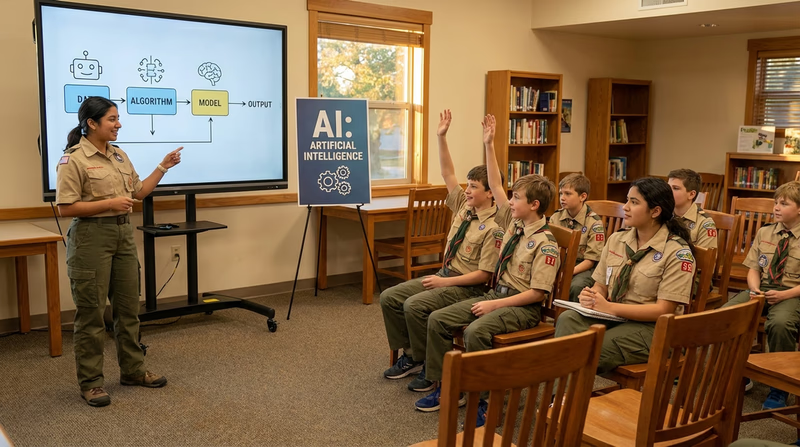
Lesson Plan Requirements
Your lesson must include these four elements:
- An AI-generated, age-appropriate explanation of AI — Use an AI tool to help you create a clear explanation of what AI is. Tailor the language to your audience’s age.
- Examples of AI in everyday life and the workplace — You built this knowledge in Requirement 2. Now teach it to others.
- An interactive demonstration — Show your audience how AI can help with a school assignment, Scouting activity, or rank advancement.
- Development process reflection — Be ready to tell your counselor how you designed the lesson and what the teaching experience was like.
Planning Your Lesson
Lesson Plan Template
Include each of these in your plan:- Audience: Who are you teaching? What age group? How many people?
- Duration: How long will your lesson be? (15-30 minutes is a good target)
- Learning objectives: What should your audience know or be able to do after your lesson? (Pick 2-3 specific things)
- Introduction (3-5 min): Hook their attention — ask a question, show a surprising example, or play a quick game
- Core content (5-10 min): Explain what AI is and share your everyday life and workplace examples
- Interactive demo (5-10 min): Live demonstration of an AI tool with audience participation
- Wrap-up (2-3 min): Summarize key points and answer questions
- Materials needed: What devices, apps, or supplies do you need?
Interactive Demonstration Ideas
The interactive demo is the highlight of your lesson. Here are ideas that work well with groups:
- Live chatbot Q&A: Open ChatGPT or Google Gemini and let the Scouts suggest questions. Show how different prompts lead to different answers.
- Teachable Machine group activity: Train an image classifier together using the webcam — have each Scout contribute training images.
- “AI or Not?” game: Run the same game from Requirement 2d with your group. Show scenarios and have them vote.
- Prompt engineering challenge: Give everyone the same task (“write a camping packing list”) and see who can write the best prompt. Compare results.
- AI art creation: Use a free image generator to create merit badge-themed artwork based on audience suggestions.
For Both Options: Get Counselor Approval First
Whichever option you choose, you need your counselor’s approval before you start. Come to that conversation with a plan:
- What you want to do
- Why you chose this option
- What tools or resources you will need
- A rough timeline
Your counselor may suggest adjustments — that is normal and expected. Getting their input early will save you time and help you succeed.
Req 8 — AI Careers
The final requirement asks you to explore what a career in AI or automation looks like. Whether you research a career on your own (8A) or interview a professional (8B), you will discover that AI careers are some of the fastest-growing, most in-demand, and highest-paying fields in the world today. And many of them did not even exist ten years ago.
AI Career Landscape
Before you choose your option, take a look at the broad landscape of AI and automation careers. These are not all “computer programmer” jobs — the field is remarkably diverse.
Technical Careers
These roles involve building, training, and maintaining AI systems:
| Career | What They Do | Typical Education | Salary Range |
|---|---|---|---|
| Machine Learning Engineer | Design and build AI models that learn from data | Bachelor’s or Master’s in CS, Math, or Engineering | $110,000–$200,000+ |
| Data Scientist | Analyze large datasets to find patterns and insights | Bachelor’s or Master’s in Data Science, Statistics, or CS | $95,000–$165,000 |
| AI Research Scientist | Push the boundaries of what AI can do through original research | Ph.D. in Computer Science, Mathematics, or related field | $120,000–$250,000+ |
| Robotics Engineer | Design and program robots that use AI to interact with the physical world | Bachelor’s or Master’s in Robotics, Mechanical, or Electrical Engineering | $90,000–$160,000 |
| NLP Engineer | Build systems that understand and generate human language | Bachelor’s or Master’s in CS or Computational Linguistics | $100,000–$180,000 |
Applied and Creative Careers
These roles use AI as a tool within another field:
| Career | What They Do | Typical Education | Salary Range |
|---|---|---|---|
| Prompt Engineer | Craft effective prompts to get the best results from AI systems | Varies — strong writing and analytical skills | $80,000–$150,000 |
| AI Product Manager | Guide the development of AI-powered products and features | Bachelor’s in Business, CS, or related field + experience | $100,000–$180,000 |
| AI Ethics Specialist | Ensure AI systems are fair, transparent, and used responsibly | Bachelor’s or Master’s in Ethics, Philosophy, Law, or CS | $90,000–$160,000 |
| AI in Healthcare | Apply AI to medical diagnosis, drug discovery, and patient care | Medical degree or Master’s/Ph.D. in Biomedical Informatics | $100,000–$200,000+ |
| Automation Specialist | Design and implement automated workflows for businesses | Bachelor’s in IT, CS, or Business + certifications | $75,000–$130,000 |
Emerging Careers
These roles are brand new and growing rapidly:
- AI Trainer — Provides feedback to improve AI models by rating and correcting their outputs
- AI Auditor — Reviews AI systems for bias, errors, and compliance with regulations
- Synthetic Media Specialist — Creates AI-generated content (images, video, audio) for entertainment and marketing
- AI Safety Researcher — Studies how to make AI systems safe and aligned with human values
- Human-AI Interaction Designer — Designs the interfaces between humans and AI systems
Option A: Career Research
If you choose this option, you will identify three AI or automation careers and then do a deep dive on one of them. Here is a framework to guide your research:
Step 1: Pick Three Careers
Choose three careers from the lists above (or find others that interest you). For each one, write a brief description of what the role involves and why it caught your attention.
Step 2: Select One for Deep Research
Pick the career that interests you most and research the following:

Career Research Checklist
Gather information on each of these:- Education required: What degree(s) do you need? What should you major in?
- Certifications: Are there professional certifications that help? (e.g., AWS Machine Learning, Google TensorFlow, CompTIA)
- Training and experience: Do you need internships, apprenticeships, or prior work experience?
- Expenses: What does the education cost? Are scholarships available?
- Employment prospects: How many jobs are available? Is demand growing or shrinking?
- Starting salary: What can you expect to earn in your first job?
- Advancement opportunities: What does the career ladder look like? Where can you go from the entry-level position?
- Day-to-day work: What does a typical workday look like?
- Skills needed: What technical and soft skills are most important?
Where to Research

Option B: Interview a Professional
If you choose this option, you will find and interview someone who works in AI or automation. This can be incredibly valuable — hearing directly from someone in the field gives you insights that no website can provide.
Finding Someone to Interview
- Ask your counselor — They may know AI professionals or can connect you with someone
- Ask family and friends — Someone’s parent, neighbor, or coworker may work in tech
- Contact local companies — Many tech professionals are happy to talk to students, especially Scouts
- Reach out to universities — Computer science professors or graduate students working on AI research
- LinkedIn — With a parent’s help, you can search for AI professionals in your area and send a polite message
Interview Questions
Here are questions to guide your conversation. You do not need to ask all of them — pick the ones most relevant to the person’s role:
Interview Question Guide
Choose 8-10 questions from this list:- What is your job title and what does your company do?
- What does a typical day or week look like in your role?
- How did you get into this field? What was your career path?
- What education and training did you complete?
- Are there certifications that helped you in your career?
- What skills are most important for success in your role?
- What is the most challenging part of your job?
- What is the most rewarding part?
- How has the field changed since you started?
- Where do you see AI or automation heading in the next 5-10 years?
- What advice would you give to a young person interested in this field?
- What should students focus on now to prepare for AI careers?
- Are there ethical concerns in your work? How do you handle them?
The Path Forward
No matter which option you choose, the key takeaway from this requirement is that AI careers are not just about coding. They require creativity, ethics, communication, problem-solving, and the ability to work with people. The skills you have been building throughout this entire merit badge — critical thinking, ethical reasoning, clear communication, and hands-on experimentation — are exactly the skills that AI employers are looking for.
And here is the exciting part: the AI field is still young. Many of the most important AI careers of 2035 probably do not exist yet. By learning about AI now, you are preparing yourself for opportunities that have not even been invented.
Extended Learning
A. Introduction
Congratulations — you have completed the requirements for the Artificial Intelligence merit badge! But your exploration of AI does not stop here. The field is evolving faster than any other area of technology, and the tools, ideas, and possibilities are expanding every day. This page is your launchpad for going deeper.
B. Deep Dive: How Neural Networks Actually Work
You learned in Requirement 6a that neural networks are inspired by the human brain. But how do they actually work? Let’s go a level deeper.
A neural network is made up of layers of nodes (also called neurons). Each node takes in numbers, does a simple calculation, and passes the result to the next layer. A typical neural network has three types of layers:
- Input layer — Receives the raw data. For an image classifier, each pixel’s color value becomes one input.
- Hidden layers — The “thinking” layers where patterns are detected. Early layers might detect simple features (edges, colors), while deeper layers recognize complex patterns (faces, objects). More hidden layers = a “deeper” network (this is where the term deep learning comes from).
- Output layer — Produces the final answer. For a cat-vs-dog classifier, the output layer gives a probability: “92% likely to be a cat.”
Each connection between nodes has a weight — a number that determines how much influence one node has on the next. During training, these weights are adjusted millions of times until the network produces accurate results. Think of it like tuning thousands of tiny dials until the picture comes into focus.
The key insight is that nobody programs these patterns by hand. The network discovers them on its own through exposure to enormous amounts of data. This is both the power and the mystery of deep learning — the networks often learn patterns that their own creators cannot fully explain.
3Blue1Brown — Neural Networks (YouTube) An outstanding visual explanation of how neural networks learn, using clear animations and math you can actually follow. Link: 3Blue1Brown — Neural Networks (YouTube) — https://www.youtube.com/playlist?list=PLZHQObOWTQDNU6R1_67000Dx_ZCJB-3piC. Deep Dive: AI in Science and Discovery
AI is not just for tech companies — it is accelerating scientific discovery in ways that would have seemed like science fiction a decade ago.
- Protein folding: Google DeepMind’s AlphaFold predicted the 3D structure of virtually every known protein — a problem that stumped biologists for 50 years. This breakthrough is speeding up drug discovery and our understanding of diseases.
- Climate science: AI models analyze satellite imagery, ocean temperatures, and atmospheric data to improve climate predictions and track deforestation in real time.
- Astronomy: AI helps astronomers sift through telescope data to discover new exoplanets, classify galaxies, and detect gravitational waves.
- Materials science: Researchers use AI to design new materials with specific properties — stronger alloys, better batteries, and more efficient solar cells — by predicting how atoms will behave in different combinations.
- Archaeology: AI analyzes satellite images to discover ancient ruins hidden under vegetation or sand, and helps decipher damaged ancient texts.
D. Interactive AI Tools and Experiments
The best way to deepen your understanding of AI is to experiment with it. These free tools let you explore different aspects of AI hands-on:

Google Teachable Machine
Quick, Draw!
Machine Learning for Kids
Google AI Experiments
MIT App Inventor with AI Extensions
Runway ML
E. AI Competitions and Challenges
Ready to test your skills against other students? These competitions are designed for middle and high school students:

Technovation Girls
AI4ALL Summer Programs
Congressional App Challenge
Google Science Fair
F. Free Courses and Learning Paths
If this merit badge sparked your interest and you want to go further, these free resources can take you from beginner to advanced:
Code.org — How AI Works A free video series explaining machine learning, training data, bias, and AI decision-making in plain language. Link: Code.org — How AI Works — https://code.org/curriculum/how-ai-works AI4K12 Resource Directory A curated collection of AI learning resources organized by grade level and topic, maintained by AI education researchers. Link: AI4K12 Resource Directory — https://ai4k12.org/resources/list-of-resources/ Elements of AI (University of Helsinki) A free online course designed for non-experts that covers AI fundamentals, neural networks, and societal implications. Link: Elements of AI (University of Helsinki) — https://www.elementsofai.com/ Google — AI for Anyone A free Coursera course by Andrew Ng (one of the world's leading AI educators) that explains AI without requiring technical background. Link: Google — AI for Anyone — https://www.coursera.org/learn/ai-for-everyone Scratch + AI Activities Combine Scratch visual programming with real machine learning models to build projects that classify text, images, and numbers. Link: Scratch + AI Activities — https://machinelearningforkids.co.uk/G. Organizations
These organizations are dedicated to making AI education accessible, diverse, and responsible. Many offer free programs, resources, and community connections for young people.
A nonprofit working to increase diversity and inclusion in AI education through summer programs, curriculum, and community building.
Organization: AI4ALL — https://ai-4-all.org/
A national initiative developing guidelines and resources for teaching AI in K-12 schools, backed by AAAI and CSTA.
Organization: AI4K12 — https://ai4k12.org/
A nonprofit dedicated to expanding access to computer science education, with free AI and machine learning curriculum.
Organization: Code.org — https://code.org/
MIT’s initiative to develop AI literacy curricula and tools for K-12 students, with a focus on ethical AI.
Organization: MIT RAISE (Responsible AI for Social Empowerment and Education) — https://raise.mit.edu/
A global tech education nonprofit that empowers young people to become leaders, creators, and problem-solvers using technology including AI.
Organization: Technovation — https://www.technovation.org/
A community of Black researchers and practitioners in AI, working to increase representation and address bias in the field.
Organization: Black in AI — https://blackinai.github.io/