Req 6b — Communicating with AI
You already know how to communicate with other people — you speak, write, gesture, and use facial expressions. But how do you communicate with an AI? It turns out there are several distinct methods, and each one is suited to different situations. For this requirement, you need to identify five methods and share them with your counselor.
The Five Methods
1. Text Prompts (Natural Language)
This is the most common way people interact with AI today. You type a question, instruction, or request in plain language — the way you would talk to another person — and the AI responds. ChatGPT, Google Gemini, and similar tools all use text-based communication.
When it works best: Research, writing assistance, brainstorming, answering questions, creative projects
Example: Typing “Explain the water cycle in simple terms for a 5th grader” into a chatbot
Key skill: The quality of your text prompt directly determines the quality of the AI’s response. This is so important that it has its own name — prompt engineering — which you will explore in the next section.
2. Voice Commands (Speech Recognition)
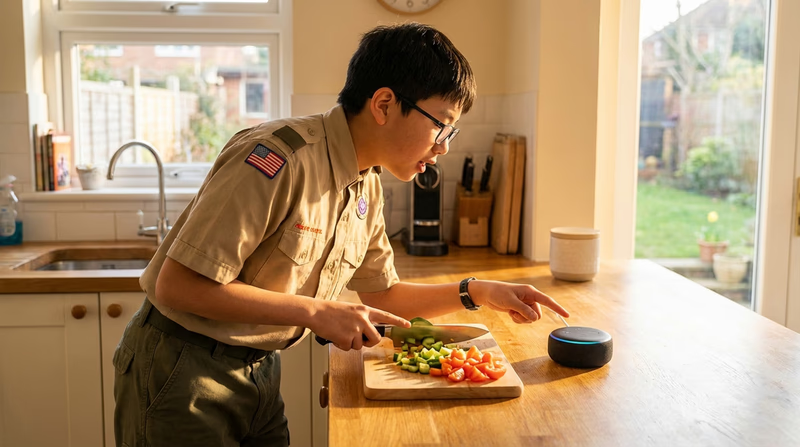
Voice assistants like Siri, Alexa, and Google Assistant use speech recognition to convert your spoken words into text, process your request, and then use text-to-speech to respond out loud. This is natural language communication just like text prompts, but spoken instead of typed.
When it works best: Hands-free situations, quick questions, controlling smart home devices, accessibility for people who have difficulty typing
Example: Saying “Hey Siri, set a timer for 10 minutes” or “Alexa, what is the weather today?”
Key skill: Speak clearly, use simple and direct phrasing, and give one command at a time for best results.
3. Visual Input (Images and Video)
Some AI systems accept images or video as input. You can take a photo of a plant and ask an AI to identify it. You can upload a picture of a math problem and get a step-by-step solution. You can show a video to an AI and ask it to describe what is happening.
When it works best: Identifying objects, translating text in photos, analyzing documents, accessibility features like describing images for visually impaired users
Example: Using Google Lens to photograph a flower and learn its species, or uploading a screenshot of a homework problem to an AI tutor
Key skill: Provide clear, well-lit images. Include context about what you want the AI to focus on — “What breed is this dog?” will get a better answer than just uploading a photo.
4. Structured Data Input
Not all communication with AI looks like a conversation. Many AI systems accept structured data — organized information in a specific format. Spreadsheets, forms, databases, and formatted files are all examples of structured data that AI systems can process.
When it works best: Data analysis, generating reports, automation tasks, bulk processing
Example: Uploading a spreadsheet of your troop’s fundraiser sales and asking an AI to find trends, create charts, or calculate totals. Or filling out a form that an AI system uses to generate a personalized recommendation.
Key skill: Organize your data clearly before giving it to an AI. Label columns, use consistent formats (like always writing dates the same way), and remove errors. Clean data produces better results.
5. Code and Programming
The most precise way to communicate with AI is through code. Programmers write instructions in languages like Python, JavaScript, or others to tell AI systems exactly what to do. This gives you much more control than natural language because code is unambiguous — it means exactly one thing.
When it works best: Building custom AI applications, training models, automating complex workflows, integrating AI into websites or apps
Example: Writing a Python script that uses an AI library to analyze the sentiment (positive, negative, or neutral) of customer reviews
Key skill: You do not need to be an expert programmer, but understanding basic coding concepts (variables, loops, conditions) helps you communicate more effectively with AI systems and understand how they work under the hood.
Comparing the Methods
| Method | Ease of Use | Precision | Best For |
|---|---|---|---|
| Text prompts | Very easy | Medium | General questions, writing, brainstorming |
| Voice commands | Very easy | Low-Medium | Hands-free, quick tasks |
| Visual input | Easy | Medium | Identification, translation, analysis |
| Structured data | Moderate | High | Data analysis, bulk processing |
| Code | Advanced | Very high | Custom applications, automation |
Preparing for Your Discussion
For your conversation with your counselor, be ready to:
Discussion Preparation
Be ready to share:
- Name all five methods of communicating with AI
- Give a real-world example for each method
- Explain when each method is most useful
- Describe a situation where one method would work better than another
- Mention at least one method you have personally used