Req 7 — Build Your AI Project
This is the capstone of your merit badge experience — the place where you take everything you have learned and create something real. You will choose one of two options: build an AI project (7A) or teach a lesson about AI (7B). Both are equally valid, and both require planning, execution, and reflection. Pick the one that excites you most.
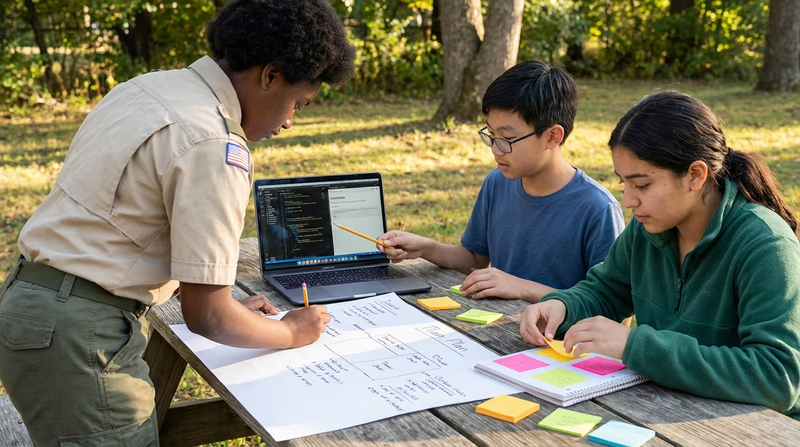
Option A: Build an AI Project
Getting Started
The most important step is choosing a project that genuinely interests you. The best projects solve a real problem or explore something you are curious about. Here are some ideas to spark your thinking:
Personal Interest Projects:
- Train an image classifier to identify different bird species in your backyard using Google Teachable Machine
- Build a chatbot that helps Scouts choose which merit badges to work on based on their interests
- Use AI to analyze weather data and predict the best days for outdoor activities
- Create an AI-generated art gallery based on different prompt styles
- Build a music recommendation system based on mood or activity
Community Need Projects:
- Train a model to sort recyclable materials by type from photos
- Create an AI assistant that answers common questions about your local Scout council
- Use AI to analyze trail conditions or park usage data for your community
- Build a tool that helps non-English-speaking families navigate school announcements
Planning Your Project
Before you start building, create a plan. This is what your counselor will want to see, and it will keep you on track.
Project Plan Template
Your plan should cover each of these:
- Objective: What does your project do? What problem does it solve? (1-2 sentences)
- Target audience: Who will use this project?
- AI tools/platforms: What AI tools, languages, or platforms will you use?
- Data requirements: What data do you need? Where will it come from? How much do you need?
- Ethical considerations: Could your project cause harm? Does it involve personal data? Could it be biased?
- Timeline: How long will each step take? Set realistic deadlines.
- Success criteria: How will you know if your project works?
Recommended Tools (No Coding Required)
You do not need to be a programmer to build an AI project. These free tools let you create real AI applications in your browser:
Google Teachable Machine Train image, sound, or pose recognition models in your browser. No coding needed — just use your webcam. Machine Learning for Kids Build AI projects using Scratch-like visual programming. Great for text classification, image recognition, and more. Microsoft Copilot A free AI assistant you can use to generate text, images, and code for your project.Implementing and Presenting
As you build your project, document your process:
- What tools did you choose and why?
- What data did you collect or use?
- What challenges did you encounter?
- What ethical considerations came up?
- What would you do differently next time?
When presenting to your counselor, show the working project and walk through these questions. Be honest about what worked and what did not — your counselor wants to see your thinking process, not a perfect product.
Option B: Teach an AI Lesson
Why Teaching Works
Teaching is one of the most powerful ways to prove you understand something. If you can explain AI clearly enough that a group of Scouts understands it, you truly know the material. This option also builds leadership skills that will serve you well beyond this merit badge.
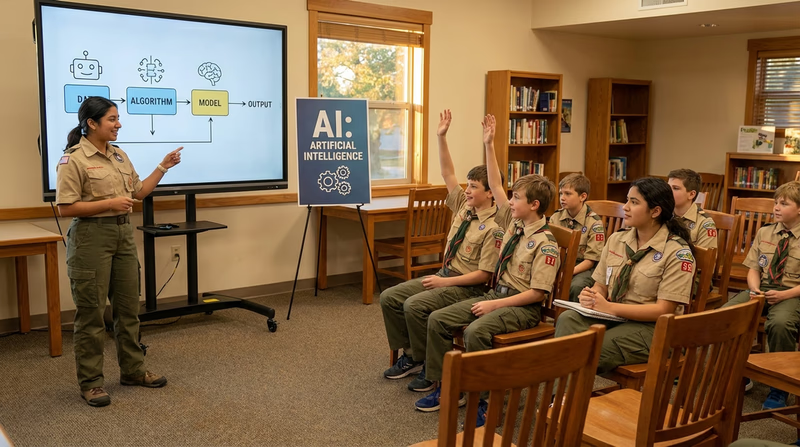
Lesson Plan Requirements
Your lesson must include these four elements:
- An AI-generated, age-appropriate explanation of AI — Use an AI tool to help you create a clear explanation of what AI is. Tailor the language to your audience’s age.
- Examples of AI in everyday life and the workplace — You built this knowledge in Requirement 2. Now teach it to others.
- An interactive demonstration — Show your audience how AI can help with a school assignment, Scouting activity, or rank advancement.
- Development process reflection — Be ready to tell your counselor how you designed the lesson and what the teaching experience was like.
Planning Your Lesson
Lesson Plan Template
Include each of these in your plan:
- Audience: Who are you teaching? What age group? How many people?
- Duration: How long will your lesson be? (15-30 minutes is a good target)
- Learning objectives: What should your audience know or be able to do after your lesson? (Pick 2-3 specific things)
- Introduction (3-5 min): Hook their attention — ask a question, show a surprising example, or play a quick game
- Core content (5-10 min): Explain what AI is and share your everyday life and workplace examples
- Interactive demo (5-10 min): Live demonstration of an AI tool with audience participation
- Wrap-up (2-3 min): Summarize key points and answer questions
- Materials needed: What devices, apps, or supplies do you need?
Interactive Demonstration Ideas
The interactive demo is the highlight of your lesson. Here are ideas that work well with groups:
- Live chatbot Q&A: Open ChatGPT or Google Gemini and let the Scouts suggest questions. Show how different prompts lead to different answers.
- Teachable Machine group activity: Train an image classifier together using the webcam — have each Scout contribute training images.
- “AI or Not?” game: Run the same game from Requirement 2d with your group. Show scenarios and have them vote.
- Prompt engineering challenge: Give everyone the same task (“write a camping packing list”) and see who can write the best prompt. Compare results.
- AI art creation: Use a free image generator to create merit badge-themed artwork based on audience suggestions.
For Both Options: Get Counselor Approval First
Whichever option you choose, you need your counselor’s approval before you start. Come to that conversation with a plan:
- What you want to do
- Why you chose this option
- What tools or resources you will need
- A rough timeline
Your counselor may suggest adjustments — that is normal and expected. Getting their input early will save you time and help you succeed.