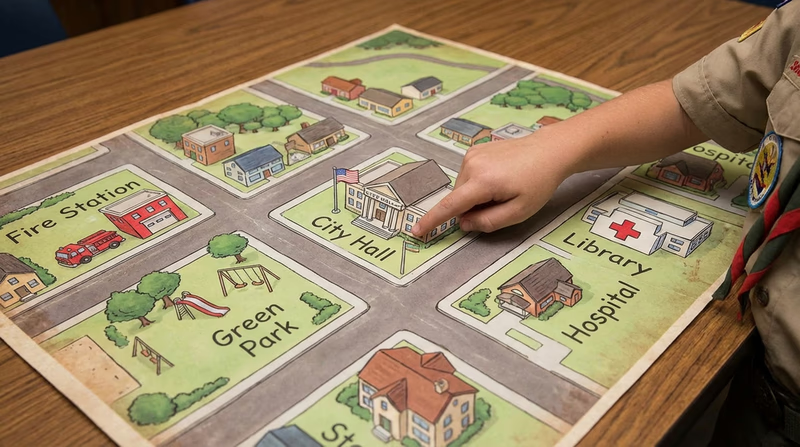
Req 2a — Mapping Your Community
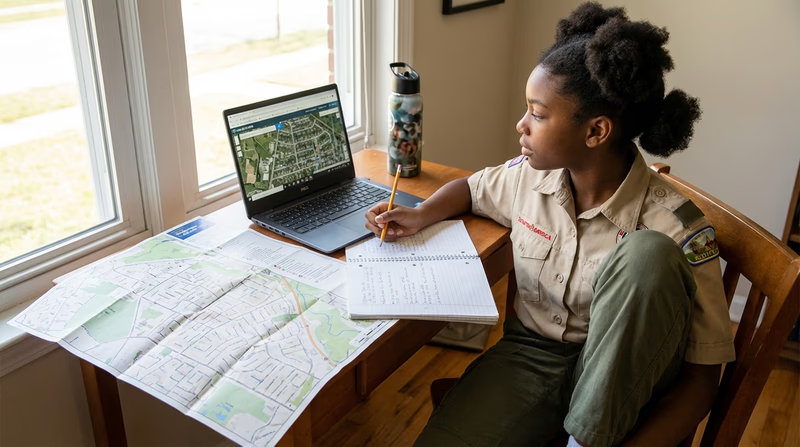
Using an electronic mapping tool or paper map, locate and pinpoint the following services and landmarks in your community. Determine and record the distances from your home including driving time AND either walking or biking time.
- Chief government buildings such as your city hall, county courthouse, and public works/services facilities
- Fire station, police station, and hospital nearest your home
- Parks, playgrounds, recreation areas, and trails
- Historical or other interesting points of interest.
Why Map Your Community?
Knowing where things are in your community is one of the most practical skills you can develop as a citizen. If there is an emergency, do you know where the nearest hospital is? If you want to attend a city council meeting, do you know how to get to city hall? This requirement turns you into someone who knows their community inside and out.
Mapping also reveals something surprising: how much your community offers that you may never have noticed. Most people drive past government buildings, parks, and historical sites every day without giving them a second thought. This exercise changes that.
Choosing Your Mapping Tool
You can use a digital tool or a paper map. Here are your best options:
Digital Tools
- Google Maps (maps.google.com) — Search for locations, measure distances, and get driving, walking, and biking times with one click.
- Apple Maps — Similar features to Google Maps, built into iPhones and iPads.
- OpenStreetMap (openstreetmap.org) — A free, community-built map. Great for finding trails and parks that commercial maps sometimes miss.
Paper Maps
Your local chamber of commerce, visitor center, or library may have printed maps of your community. You can measure distances using the map’s scale and estimate travel times based on average speeds (driving: ~25–35 mph in town; biking: ~10 mph; walking: ~3 mph).
What to Look For
1. Government Buildings
These are the buildings where your community’s leaders work and decisions get made.
- City Hall or Town Hall — Where the mayor and city council offices are located. This is often where public meetings happen (you will attend one in Requirement 3).
- County Courthouse — Where courts operate and county records are kept. If your community is the county seat, the courthouse is a major landmark.
- Public Works / Services Facilities — These handle water, sewage, road maintenance, and waste management. They keep the infrastructure of your community running.
2. Emergency Services
These are the places your community depends on in a crisis.
- Fire Station — Find the one closest to your home. Many fire departments also handle medical emergencies.
- Police Station — Your local law enforcement headquarters. Some communities have substations in different neighborhoods.
- Hospital or Emergency Room — The nearest place to receive emergency medical care. Know the fastest route from your home.
3. Parks and Recreation
- Parks and Playgrounds — Public green spaces maintained by your community.
- Recreation Centers — Facilities offering sports, classes, and community programs.
- Trails — Walking, hiking, and biking paths. Many communities have connected trail systems.
4. Historical and Interesting Points
This is the most open-ended category. Look for:
- Historical buildings, monuments, or markers
- Museums and cultural centers
- Public art installations or murals
- Sites of significant events in your community’s history
- Landmarks that define your community’s identity
Recording Your Findings
For each location, record:
- Name of the place
- Address
- Distance from your home (in miles)
- Driving time
- Walking or biking time (your choice — pick one)