Req 7 — Writing & Publishing
This requirement puts your written communication skills to the test. You will pick one of three options: writing a letter to the editor, creating a website or blog, or producing a printed publication. Each option challenges you to organize your ideas, write clearly, and present information in a polished format.
Option A: Letter to the Editor
A letter to the editor is one of the most direct ways to make your voice heard in your community. Newspapers and magazines publish letters from readers to encourage public discussion about important topics.
Choosing Your Subject
Pick a topic you care about. It could be:
- A local issue (a new park, traffic safety near your school, recycling programs)
- A response to a recent article you read
- A topic related to Scouting or youth leadership
- An issue you learned about in Requirement 5 at your public meeting
Writing a Strong Letter
Most published letters are 150–300 words. Editors receive hundreds of letters and pick the ones that are clear, concise, and well-reasoned.
Letter to the Editor Checklist
Include these elements
- A clear subject line: State the topic or reference the article you are responding to.
- Your main point: State your opinion or information in the first sentence or two.
- Supporting evidence: Give 2–3 reasons, facts, or personal experiences to back up your point.
- A call to action: What do you want readers to do or think about?
- Your name and contact info: Most publications require your full name, city, and a phone number or email for verification.
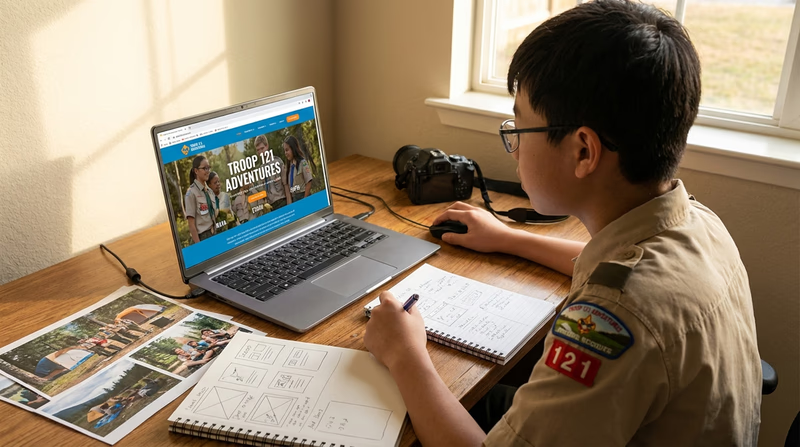
Option B: Website or Blog
Creating a website or blog lets you build something from scratch and share it with the world — or just with your counselor.
Planning Your Site
Before you start building, decide:
- The topic — Pick something you are passionate about. Your troop’s activities, a sport you play, a hobby like fishing or coding, or a cause you care about.
- The audience — Who would visit your site? Other Scouts? People interested in your hobby?
- The structure — Plan at least three pages or blog entries.
Building Your Site
You do not need to be a tech expert. Free tools like Google Sites, WordPress.com, or Wix make it easy to create a polished site with no coding required.
Your site must include:
- At least three articles or entries — Each should be well-written and informative.
- At least one photograph or illustration — Use your own photos or images you have permission to use.
- At least one link to another helpful website or blog.
Option C: Desktop Publishing
Desktop publishing means using a computer to design professional-looking printed materials. This is a practical skill used by businesses, schools, and organizations every day.
Choosing Your Project
Pick a real need for a group you belong to:
- A troop newsletter covering recent activities and upcoming events
- A brochure promoting your troop to prospective Scouts
- A flyer advertising a fundraiser, campout, or service project
- A program for a court of honor or special event
Design Principles
You do not need expensive software. Google Docs, Canva, Microsoft Publisher, or even a word processor can produce great results. Keep these design principles in mind:
- Readability — Use clear, legible fonts. Body text should be 10–12 point. Avoid using more than two different fonts.
- White space — Do not cram everything together. Leave room for the eye to rest.
- Hierarchy — Use headlines, subheadings, and body text to guide the reader’s eye.
- Images — One strong photo or illustration is better than five blurry ones.
- Consistency — Use the same colors, fonts, and spacing throughout.
Content Requirements
Your publication must include:
- At least one article — A written piece with a headline, byline, and body text.
- At least one photograph or illustration — Include a caption that explains what the image shows.
Whichever option you choose, this requirement gives you hands-on experience with the full writing process: planning, drafting, editing, designing, and publishing. These are skills that professionals in journalism, marketing, and business use every day.