Cybersecurity Merit Badge Requirements
Learn about digital safety, ethical computing, cybersecurity fundamentals, threat analysis, encryption, and protecting systems from attacks to earn this merit badge.
Requirements
- Safety. Do the following:
- View the Personal Safety Awareness “Digital Safety” video (with your parent or guardian’s permission).
- Explain to your counselor how to protect your digital footprint, such as while using social media, mobile device apps, and online gaming. Show how to set privacy settings to protect your personal information, including photos of yourself or your location.
- Discuss first aid and prevention for potential injuries, such as eye strain, repetitive injuries, and handling electronics devices, that could occur during repeated use. Discuss how to keep yourself physically safe while using a mobile device (for example while walking or biking).
- Ethics. Do the following:
- Relate three points of the Scout law to things people do on the internet or with computers, phones, and other connected electronic devices.
- Discuss with your counselor examples of ethical and unethical behavior in cyberspace. Include how to act responsibly when you encounter situations such as: coming across an unattended or unlocked computer or mobile device; observing someone type their password or seeing it written down near a computer; or discovering a website that is not properly secured. Explain why these situations require good judgement, and how the Scout Law and personal values should guide your actions.
- Fundamentals. Do the following and discuss each with your counselor:
- Describe three types of computer systems that need protecting and explain why.
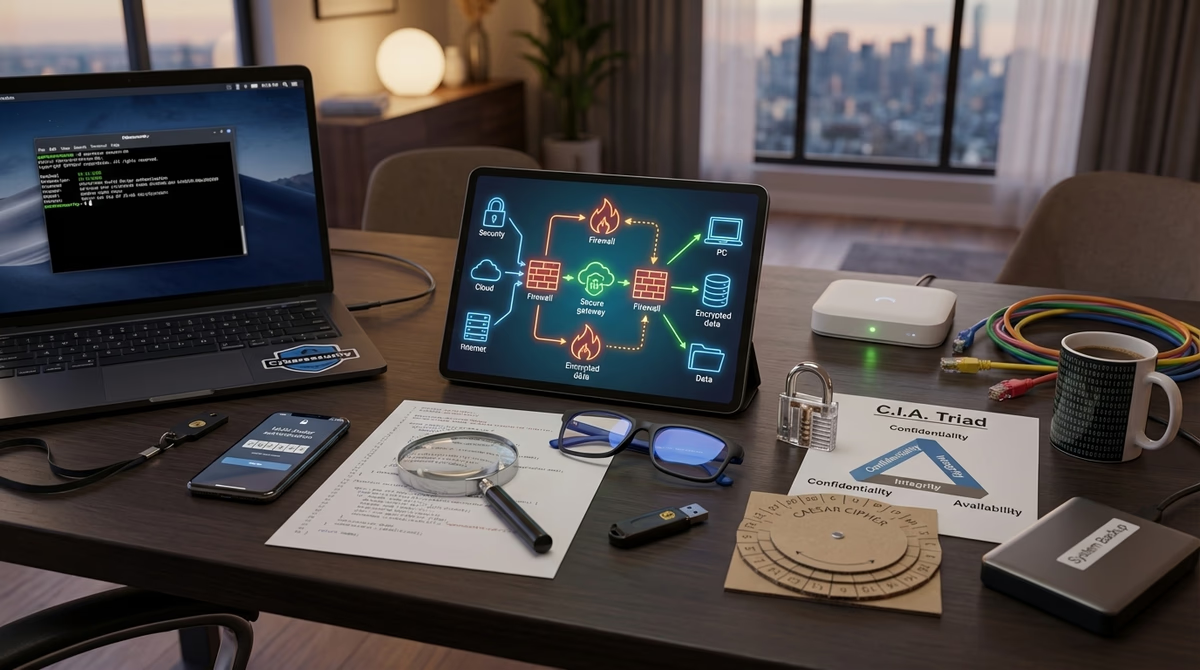
- Explain the “C.I.A. Triad”—Confidentiality, Integrity, and Availability—and why these three principles are fundamental to cybersecurity.
- Cyber Threats, Vulnerabilities, and Attacks. Do the following and discuss each with your counselor:
- Define the terms vulnerability, threat, and exploit, and give an example of each that might apply to a website or software product you use.
- Pick one type of malware (such as virus, worm, Trojan, backdoor, spyware, or ransomware) and find out how it works. Explain what it does and the harm it can cause.
- Identify two risks of using public Wi-Fi and describe how to reduce or avoid those risks.
- Describe what spoofing and phishing are, and how to recognize a message or website that might be trying to trick you. Explain what steps you should take to protect yourself and others if you come across one.
- Current Events. Do ONE of the following:
- Read an article or a news report about a recent cybersecurity incident, such as a data breach or malware infection. Explain how the incident happened (to the best of your ability based on the information available) and what the consequences are or might be to the victim.
- With your parent or guardian’s permission, watch a movie or read a book in which cybersecurity plays a significant role. Discuss how cybersecurity topics were depicted and how realistic you think it was.
- Create a list of what is part of your cyber attack surface including all the ways someone could try to access your personal information or devices—such as online accounts, apps, or home networks.
- Cyber Defenses. Do the following:
- Describe three technologies that are used to defend a computer or network, such as access controls, antivirus software, firewall, intrusion detection/prevention systems, and Virtual Private Network.
- Installing updates. Do the following:
- Explain to your counselor the importance of installing the latest updates on your computer, why they are needed, and what kinds of problems they can prevent.
- Demonstrate to your counselor how to check for, download, and install the latest updates for your computer or mobile device, or another computer you have permission to use (if you are unable to do this on your computer, you may use an online guide with screenshots to demonstrate this). Show your counselor how to verify that your computer or mobile device is up-to-date.
- System security. With your parent or guardian’s permission, do THREE of the following using a computer or mobile device, and discuss with your counselor:
- Describe what makes a good password and why. Set or change an account password to one that is “strong.”
- Describe multi-factor authentication (MFA) and how it can be used to improve security. Demonstrate how to use an authenticator app or other MFA function.
- Install and set up a password manager. Demonstrate how it works to your counselor.
- Run a virus scan. Show the results to your counselor.
- Using a command line or other built-in tool, see what programs or processes are running on your computer. Discuss with your counselor what you see and what surprises you.
- Use a command line interface to view your computer’s open network connections. Discuss the results with your counselor.
- Demonstrate how to back up your data from a mobile device to a local computer or the cloud.
- Research best practices for protecting a home computer or network, and make a checklist of FIVE things you and your family can do to stay secure.
- Identify one or more other vulnerabilities on your home computer or network or another computer or network you have permission to use and discuss with your counselor. With permission from the system owner, take the necessary actions to fix it.
- Cryptography. Do the following:
- Research and explain to your counselor three situations where encryption is used in cybersecurity. For each situation, describe what kind of encryption is used and why it is important.
- Show how you can know if your connection to a website is encrypted.
- Do ONE of the following:
- Create your own encryption code, such as a substitution cipher or code book, and demonstrate using it to encrypt and decrypt a message. Describe the strengths and weaknesses of your code.
- Download and set up an app (from an official app store) that uses end-to-end encryption. Explain to your counselor what this means, how it works, and why it is more secure than other forms of communication (e.g. SMS).
- Use a hashing tool (for example, using SHA or MD5) to create a checksum for a file, document, or piece of text. Have a fellow Scout or your counselor make a change to it, then recreate the checksum and compare the new checksum to the original as a demonstration of file integrity checking.
- Create your own PGP (pretty good privacy) email key. Share your public key with others (and your counselor). Also, get their public keys and add them to your computer’s key ring. Send a message that has been digitally encrypted.
- Connected Devices and Internet of Things (IoT). Describe to your counselor four electronic devices you encounter that could be connected to the internet, why this connectivity can be useful, what risks are posed by the connectivity, and how they could be protected.
- Cybersecurity Activities. Do ONE of the following:
- Learn about a cybersecurity competition, camp, or other activity you could participate in (either now or in the future). Share what you learned with your counselor, including the type of activity, time commitment, and age of participants.
- Participate in a cybersecurity competition with members of your troop, school, or some other group approved by your counselor. Either design your own competition or use an existing platform.
- Give a presentation to your patrol, troop, or another group approved by your counselor, on a cybersecurity topic of your choice. Your presentation must include at least one demonstration and/or hands-on activity.
- Careers. Do ONE of the following:
- Identify three career opportunities that would use skills and knowledge in cybersecurity. Pick one and research the training, education, certification requirements, experience, and expenses associated with entering the field. Research the prospects for employment, starting salary, advancement opportunities and career goals associated with this career. Discuss what you learned with your counselor and whether you might be interested in this career.
- Visit a business or organization that does work in cybersecurity. Find out about different work roles, what they do, and how they acquired their knowledge through college degrees or certifications. Share what you learned with your counselor.