Req 3d — Computers, Mobile & Consoles
A laptop, a smartphone, and a PlayStation all have processors, memory, storage, and screens. They all run software. They all connect to the internet. So what actually makes them different? The answer lies in what each one is designed to do best — and the trade-offs that come with that focus.
What They Have in Common
All three device categories are built on the same fundamental architecture. Each one contains:
- A processor (CPU) that executes instructions
- Memory (RAM) that holds data the processor is actively using
- Storage (SSD, flash memory, or hard drive) for permanent data
- An operating system that manages hardware resources and runs applications
- Input devices (keyboard, touchscreen, controller) and output devices (screen, speakers)
- Network connectivity (Wi-Fi, Bluetooth, Ethernet, cellular)
Under the hood, all three are computers. The differences come from how these components are configured and what they are optimized for.
Key Differences
Computers (Desktops & Laptops)
Designed for: General-purpose computing — productivity, creative work, programming, gaming, research, and everything else.
- Operating systems: Windows, macOS, Linux, ChromeOS
- Strengths: Most flexible devices. You can install virtually any software, connect external hardware (monitors, printers, scientific instruments), and customize or upgrade components. Desktops allow you to swap in a faster processor, add more RAM, or install a better graphics card.
- Input: Full-size keyboard and mouse/trackpad — optimized for typing, precision tasks, and productivity
- Trade-offs: Least portable (desktops are stationary; laptops are portable but heavier than phones). Typically more expensive.
Mobile Devices (Smartphones & Tablets)
Designed for: Portability, communication, and quick access to information and media.
- Operating systems: Android (Google), iOS (Apple), iPadOS
- Strengths: Always with you. Cellular connectivity means internet access almost anywhere. Built-in sensors (GPS, accelerometer, camera, compass) enable apps that desktop computers cannot easily replicate. Touch interfaces feel natural for browsing, social media, and media consumption.
- Input: Touchscreen — great for tapping, swiping, and casual use, but less efficient for long documents or precision work
- Trade-offs: Smaller screens. Less processing power than desktops (to save battery). Limited storage. Harder to do complex creative work or multitask with multiple windows.
Gaming Consoles
Designed for: High-performance gaming and entertainment.
- Operating systems: Custom systems (PlayStation OS, Xbox OS, Nintendo Switch OS)
- Strengths: Hardware is specifically optimized for rendering graphics and running games smoothly. Because every console of the same model has identical hardware, game developers can fine-tune performance perfectly — no need to worry about different configurations. Also serve as media centers for streaming services.
- Input: Game controllers with joysticks, triggers, and buttons — designed for precise, comfortable gaming over long sessions
- Trade-offs: Very limited software selection compared to computers. You cannot install a word processor, spreadsheet, or coding environment. Not portable (except the Nintendo Switch). Cannot be upgraded — the hardware is fixed for the console’s entire lifespan.
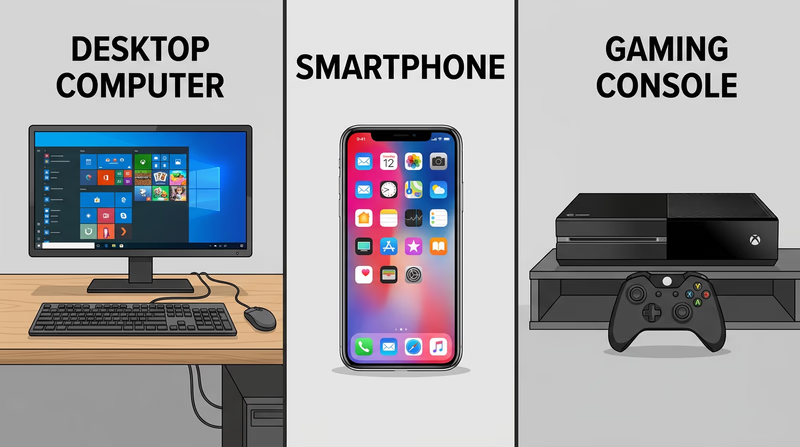
Comparison Table
| Feature | Computer | Mobile Device | Gaming Console |
|---|---|---|---|
| Primary purpose | General-purpose | Communication & portability | Gaming & entertainment |
| Software flexibility | Very high | Moderate (app stores) | Low (games & streaming) |
| Portability | Low (desktop) / Medium (laptop) | Very high | Low |
| Upgradeable? | Yes (especially desktops) | No | No |
| Input method | Keyboard & mouse | Touchscreen | Game controller |
| Typical price range | $300–$3,000+ | $200–$1,500 | $250–$500 |
| Battery powered? | Laptops yes, desktops no | Yes | No (except Switch) |
The Lines Are Blurring
These categories used to be more distinct, but they are converging. Modern smartphones are powerful enough to edit 4K video. Gaming consoles can stream Netflix and browse the web. Laptops with high-end graphics cards rival consoles for gaming performance. Cloud gaming services like Xbox Cloud Gaming let you play console-quality games on a phone or tablet.
GCFGlobal — Computer Basics: Understanding Computers Free lessons from GCFGlobal covering the fundamentals of different computing devices, how they work, and how to use them.You now understand the devices. Next, let’s explore how they talk to each other through networks.