Req 5b — Test Equipment
You can look at a circuit board all day and never know whether it is working correctly. Electricity is invisible. You cannot see voltage, feel current (safely), or hear resistance. Test equipment gives you eyes into the invisible world of electrical signals — and without it, troubleshooting a broken circuit is nothing more than guesswork.
Why Test Equipment Matters
Every time you build, repair, or debug a circuit, you need to answer questions:
- Is power reaching this component?
- How much current is flowing through this wire?
- Is this signal the right shape and frequency?
- Did this capacitor go bad?
Test equipment answers these questions with hard numbers. When your Req 4c circuit project did not work on the first try, a multimeter could have told you exactly where the problem was in seconds.
Three Essential Types of Test Equipment
1. Multimeter
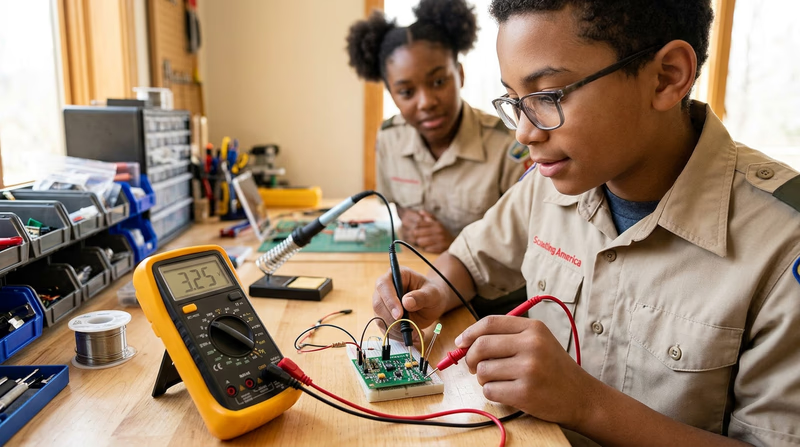
The multimeter is the single most important tool in electronics. It is called a “multi” meter because it measures multiple electrical properties — typically voltage, current, and resistance — all in one handheld device.
How it works: A multimeter has two probes (one red, one black) that you touch to different points in a circuit. A rotary dial or button selects what you want to measure. The display shows the reading.
Measuring voltage (voltmeter mode): Connect the probes in parallel — touch them across a component or between two points. The meter shows the electrical pressure difference between those two points.
Measuring current (ammeter mode): Connect the probes in series — the current must flow through the meter itself. This means you need to break the circuit at one point and insert the meter in the gap. The meter shows how much current is flowing.
Measuring resistance (ohmmeter mode): Disconnect the component from the circuit, then touch the probes to its two leads. The meter sends a tiny test current through the component and calculates the resistance from the voltage drop. Never measure resistance in a powered circuit — the external voltage will give a false reading and could damage the meter.
2. Oscilloscope
An oscilloscope displays electrical signals as a waveform on a screen — a graph of voltage over time. While a multimeter gives you a single number (like 5.0V), an oscilloscope shows you the entire signal: its shape, frequency, amplitude, and any noise or distortion.
How it works: A probe connects to a point in your circuit. The oscilloscope samples the voltage thousands or millions of times per second and plots the results as a continuously scrolling waveform. The horizontal axis is time, and the vertical axis is voltage.
What you can see:
- DC signals appear as a flat horizontal line at the voltage level.
- AC signals appear as waves — sine waves for audio, square waves for digital clocks, and sawtooth or triangle waves for other applications.
- Noise appears as random fuzz on top of the signal. If your circuit is misbehaving, noise on the oscilloscope often points you to the cause.
- Frequency — How fast the signal repeats. An oscilloscope can measure frequencies from less than one cycle per second to billions of cycles per second on professional models.
3. Logic Probe / Logic Analyzer
A logic probe is a simple, pen-shaped tool designed specifically for digital circuits. Instead of measuring exact voltages, it tells you whether a point in a digital circuit is high (logic 1), low (logic 0), or pulsing (rapidly switching between the two).
How it works: You clip the probe’s power leads to the circuit’s power supply, then touch the tip to any node in the circuit. LEDs on the probe light up to indicate the state:
- Red LED = Logic high (typically above 2V in a 5V system)
- Green LED = Logic low (typically below 0.8V)
- Both LEDs / pulsing indicator = The signal is switching rapidly (a clock or data signal)
A logic analyzer is the digital equivalent of an oscilloscope — it captures and displays the timing of multiple digital signals simultaneously, showing you exactly when each signal goes high and low. This is essential for debugging communication between digital chips, where the timing of signals must be precise.
Choosing the Right Tool
| What You Need to Know | Best Tool |
|---|---|
| Voltage at a point | Multimeter |
| Current through a wire | Multimeter |
| Resistance of a component | Multimeter |
| Shape of a signal over time | Oscilloscope |
| Frequency of a signal | Oscilloscope |
| Is a digital pin high, low, or pulsing? | Logic probe |
| Timing between multiple digital signals | Logic analyzer |