Req 5 — Pace Counting
You have a bearing. You know the distance from the map. But after 300 meters of walking through featureless forest, how do you know when you have gone far enough? You cannot see your destination yet. There are no trail markers to count. The only measuring device you have is your own stride — and that is exactly what pace counting uses.
What Is a Pace Count?
A pace count is the number of steps (specifically, double-steps) you take to cover a known distance. In orienteering, the standard reference distance is 100 meters. Once you know your pace count for 100 meters, you can measure any distance in the field simply by counting your steps.
One “pace” = two steps. You count every time the same foot (left or right) hits the ground. If you take 62 steps with your left foot to cover 100 meters, your pace count is 62.
Setting Up a 100-Meter Pace Course
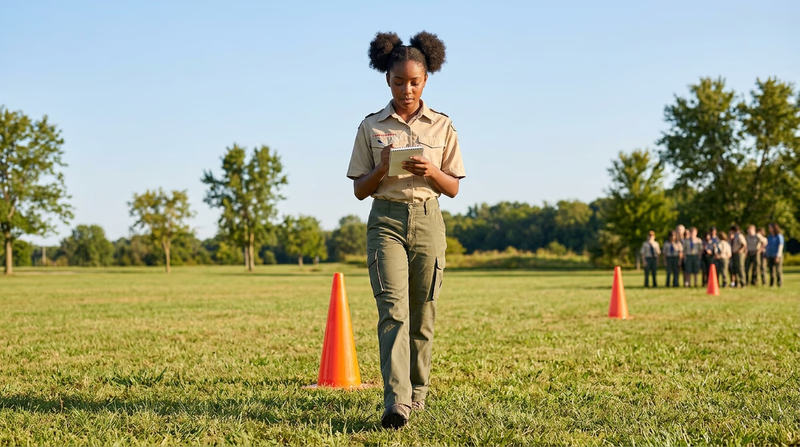
This is a hands-on requirement — you need to physically lay out a course and walk it.
- Find a flat, open area — a playing field, a parking lot, or a straight section of trail.
- Measure 100 meters. Use a measuring tape, a pre-measured distance (many running tracks have 100-meter marks), or measure it with a long tape measure or surveyor’s wheel.
- Mark the start and end. Use cones, flags, or simply mark a line on the ground.
- Walk the course at your normal walking pace. Count every time your left foot (or right foot — pick one and be consistent) hits the ground.
- Repeat three times. Your count will vary slightly each time. Average the three counts — that is your walking pace count for 100 meters.
- Run the course and repeat the process. Your running pace count will be lower (fewer, longer strides). Average three runs.
Why Pace Counting Matters
Pace counting answers the question: “How far have I gone?” When you combine it with a compass bearing, you get a complete navigation fix — direction and distance — without any technology at all.
Here is where pace counting saves you:
- Featureless terrain. In a flat pine forest with no landmarks, pace counting is the only way to know when you have reached the vicinity of your control point.
- Confirming your position. If the map shows a trail crossing 400 meters ahead and your pace count says you have walked 400 meters, the next trail you cross confirms you are where you think you are.
- Approaching a control point. In competition, you will often take a bearing from an “attack point” (a nearby obvious feature) to a control that is 100–200 meters away. Pace counting tells you when to start looking.
Adjusting for Terrain
Your pace count on flat ground will not match your pace count on a hillside. Terrain changes your stride length:
| Terrain | Effect on Pace Count |
|---|---|
| Uphill | More paces (shorter strides) — add ~10% |
| Downhill | Slightly more paces (cautious steps) — add ~5% |
| Thick brush | More paces (restricted movement) — add ~15% |
| Soft sand or mud | More paces (less traction) — add ~10% |
| Snow | More paces — add 10–25% depending on depth |
Experienced orienteers calibrate their pace count on different terrains over time. Start with flat-ground numbers and adjust as you gain experience.
Pace Count Record
Fill in after your calibration
- Walking pace count (average of 3 runs): Record your number for flat terrain.
- Running pace count (average of 3 runs): Record your number for flat terrain.
- Uphill adjustment: Note your estimated percentage increase.
- Thick brush adjustment: Note your estimated percentage increase.