Req 4c — Build Your Prototype
Building is where your ideas meet reality. Holes do not line up perfectly. Wires end up longer than expected. A mechanism that seemed smooth on paper may bind or wobble in real life. That is normal. The goal is not perfection on the first try. The goal is building a version that works well enough to test and improve.
Build in stages
Trying to assemble everything at once makes troubleshooting harder. Instead, build in chunks:
- Frame or base — make the structure solid first
- Motion system — wheels, arm, lift, or gripper
- Electronics — controller, motors, power, sensors
- Cable management — secure wires so they cannot snag or drag
- Simple power-on checks — test one subsystem at a time
If you build in stages, you always know what changed last. That makes it easier to find problems.
Watch for common build problems
Loose structure causes wobble and throws off sensor readings. Tighten hardware and brace long pieces when needed.
Poor wire routing leads to disconnects, pinched insulation, and moving parts chewing through cables.
Overcomplicated mechanisms create more friction and more failure points. If a simple direct drive works, use it.
Misaligned sensors are one of the most common hidden problems. A distance sensor pointed slightly upward may miss a target. A line sensor mounted too high may not read the line clearly.
Build what the mission requires — not more
A strong merit badge robot is often simpler than a competition robot. That is okay. If your task is to detect an obstacle and stop, you do not need a complicated arm, a camera, and six sensors. Extra parts make debugging harder.
Try to keep every part connected to the mission from Req 4a. If you cannot explain why a part is there, it may not belong in version one.
Prototype readiness
Use this before moving on to programming choices
- Structure feels solid when you pick up or drive the robot.
- Power system works without loose connections.
- Motors move in the direction you expect.
- Sensors are mounted where they can actually gather useful data.
- The robot can safely perform a simple dry run.
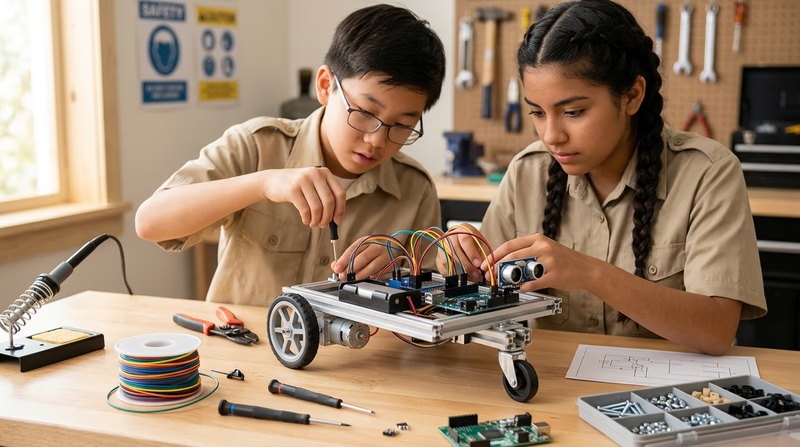
You now have hardware to work with. Next, choose whether you will show the robot’s logic as working code or as a clear flowchart.